
If you have spent any time looking into traditional, professional workflows for building software tutorials, TechSmith’s Camtasia has likely popped up as a top recommendation. For over a decade, it has been a reliable choice for corporate trainers, online course creators, and educators.
However, the cost of entry is significant. Camtasia's pricing plans start around $299 climb even higher if you want its top-tier AI features.
On the other side of the ring is Cubix Capture, a modern, presentation-focused recorder that has quickly changed how digital lessons are produced. Instead of acting like a heavy, traditional editing suite, Cubix Capture uses capture-time automation to design, style, and reframe your videos while you speak.
If you are a tutorial maker, founder, or educator, you need a setup that respects both your wallet and your calendar. Here is an honest comparison of whether a premium, manual timeline editor like Camtasia is worth the investment, or if an automated platform like Cubix Capture fits your workflow better.
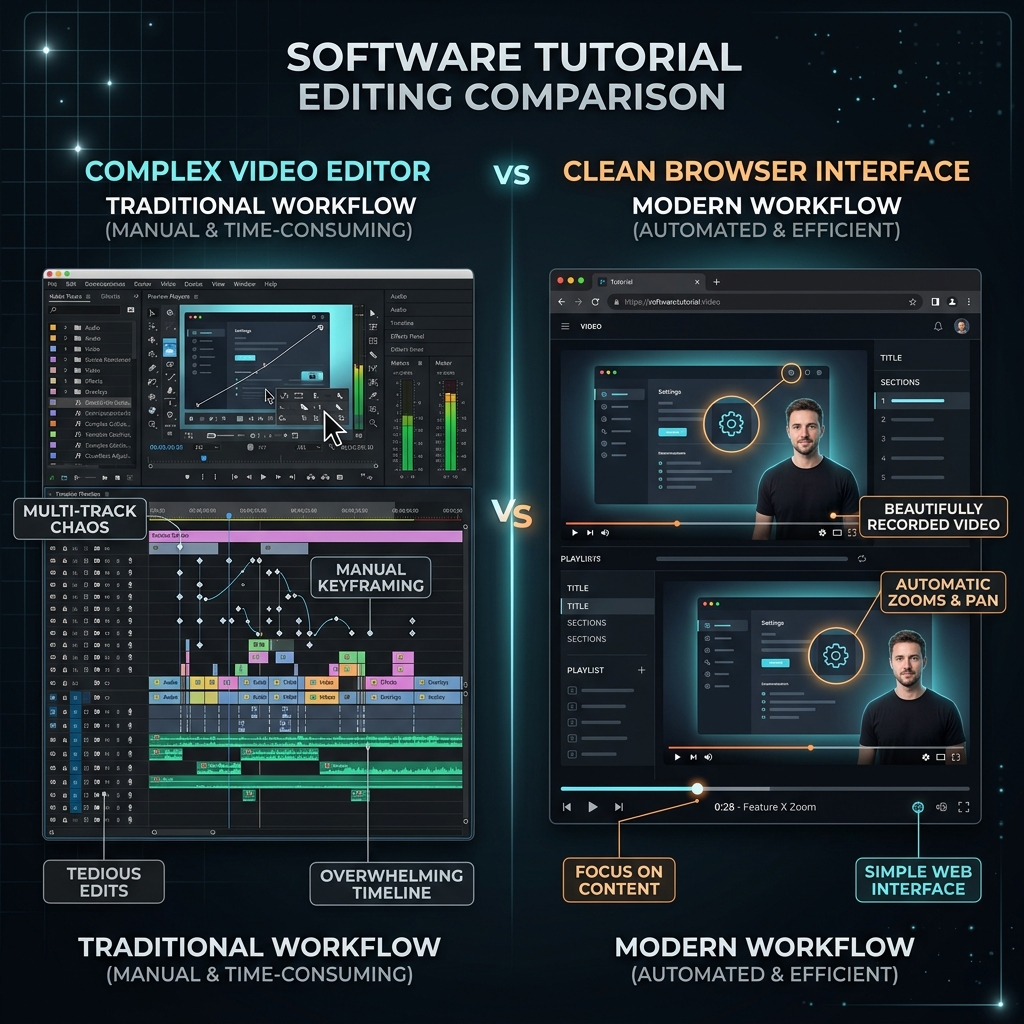
The Workflow Philosophy: Post-Production vs. Real-Time Direction
The fundamental divide between these two tools comes down to where you want to spend your time: on a timeline after you record, or on your presentation while you record.
Camtasia: The Robust, Manual Studio
Camtasia approaches screen recording through a traditional lens. It captures your screen, microphone, and system audio as raw media plates. Once you hit stop, those tracks drop onto a highly detailed, multi-track timeline interface.
From there, you have to build the visual flow yourself. If you want to draw focus to an input field, you have to manually cut the clip, add a zoom animation, adjust the easing curves, and drag a text callout asset from the side menu onto your project timeline. It gives you deep, precise control over every pixel, but it requires full post-production assembly.
Cubix Capture: The Automated Camera Operator
Cubix Capture shifts all that manual labor into the capture phase itself. It functions as an automated digital director.
Instead of treating your desktop like a flat image grid, Cubix Capture monitors your cursor positions and active window frameworks natively. The moment you click an application dropdown menu or type text into a field, the software automatically triggers a smooth, cinematic zoom into that space. It polishes your video dynamically, delivering a finished product the second you finish recording.
Feature Breakdown: Slicing the Value
To understand which tool scales your content throughput efficiently, let's look at how they handle the core elements of a great software tutorial.
1. The Mobile Readability Crisis
- Camtasia: Records a flat, raw pixel map of your monitor. If you record your presentation on a large desktop monitor, everything looks perfectly readable to you. But when shared with a mobile audience, your layout shrinks drastically. To fix this in Camtasia, you must spend significant time manually positioning zoom animations for every major click throughout your timeline.
- Cubix Capture: Built directly to solve the mobile readability issue. Its Algorithmic Focal Zooming automatically handles the framing, meaning buttons, text blocks, and menu labels survive small 6-inch smartphone screens without you ever looking at a keyframe editor.
2. Mouse Cursor Handling
- Camtasia: Features classic post-capture cursor editing. Because it records your mouse as an independent vector layer, you can go into the timeline later to scale up the cursor size, apply highlight rings, or manually smooth out your pointer path. It’s highly customizable but takes manual tweaking.
- Cubix Capture: Applies real-time AI Cursor Path Smoothing. It catches the natural, frantic micro-movements of your physical trackpad or mouse while you record and translates them instantly into an elegant, fluid glide.
3. Visual Staging and Borders
- Camtasia: Drops your application window onto a blank canvas layer. If you want a beautiful look, you must manually import custom graphic assets, scale backgrounds, and build your own design frames layer by layer.
- Cubix Capture: Instantly isolates your targeted application window and places it against stunning, built-in Gradient and Live Canvas Backdrops. It automatically drops your webcam into a clean, floating geometric bubble and applies an optimized background blur natively.
Enjoying this read?
Get weekly insights on video editing, AI workflows, and creator growth straight to your inbox.
Comparison Summary
| Metric | TechSmith Camtasia | Cubix Capture |
|---|---|---|
| Price Point | Starts at ~$179.88/year | Free Starter / Affordable Premium |
| Core Workflow | Manual, multi-track timeline editing | Automated real-time layout polish |
| Zoom Transitions | Manual timeline keyframing | Algorithmic, click-triggered auto-zooms |
| Cursor Control | Highly editable in post-production | Automatic real-time path smoothing |
| Asset Library | Large built-in library of arrows & callouts | Not applicable (Relies on app focus) |
| Best For | Traditional course design with complex media | Rapid software tutorials, walkthroughs, demos |
The Verdict: Is Camtasia Worth It?
Invest in Camtasia if: You are building long-form, highly customized corporate training curriculum where you need to stitch together multiple types of external media—like importing PowerPoint slides, embedding quizzes, adding interactive hot-spots, and dragging physical annotation arrows onto a timeline. If you want full control over your layout and don't mind spending an hour editing every few minutes of footage, Camtasia remains a highly robust, professional tool.
Upgrade to Cubix Capture if: Your main goal is to ship clean, professional software tutorials, YouTube walkthroughs, or client updates quickly. If you want your videos to look premium—complete with cinematic auto-zooms, smooth mouse trajectories, and modern presentation layouts—without losing your afternoons to a video editing timeline or paying a hefty upfront software subscription fee, Cubix Capture provides an immediate efficiency advantage.
Don’t miss the next one.
Join our newsletter for exclusive tips, product updates, and the latest from the Cubix team.