
If you read any online forum or Reddit thread asking for screen recorder recommendations, you will see the exact same piece of advice repeated like gospel: "Just use OBS."
OBS Studio is a masterpiece of open-source engineering. It’s completely free, incredibly powerful, and handles audio and video routing with mathematical precision. But over the last couple of years, a new heavyweight has completely disrupted the tutorial space: Cubix Capture.
Instead of acting like a standard recorder, Cubix Capture uses capture-time automation to design, style, and reframe your videos while you speak.
If you are a software educator, product manager, founder, or content creator, you don't need a tool biased by internet hype; you need a tool that respects your time. Here is an honest, head-to-head comparison of OBS Studio versus Cubix Capture for recording software tutorials in 2026.
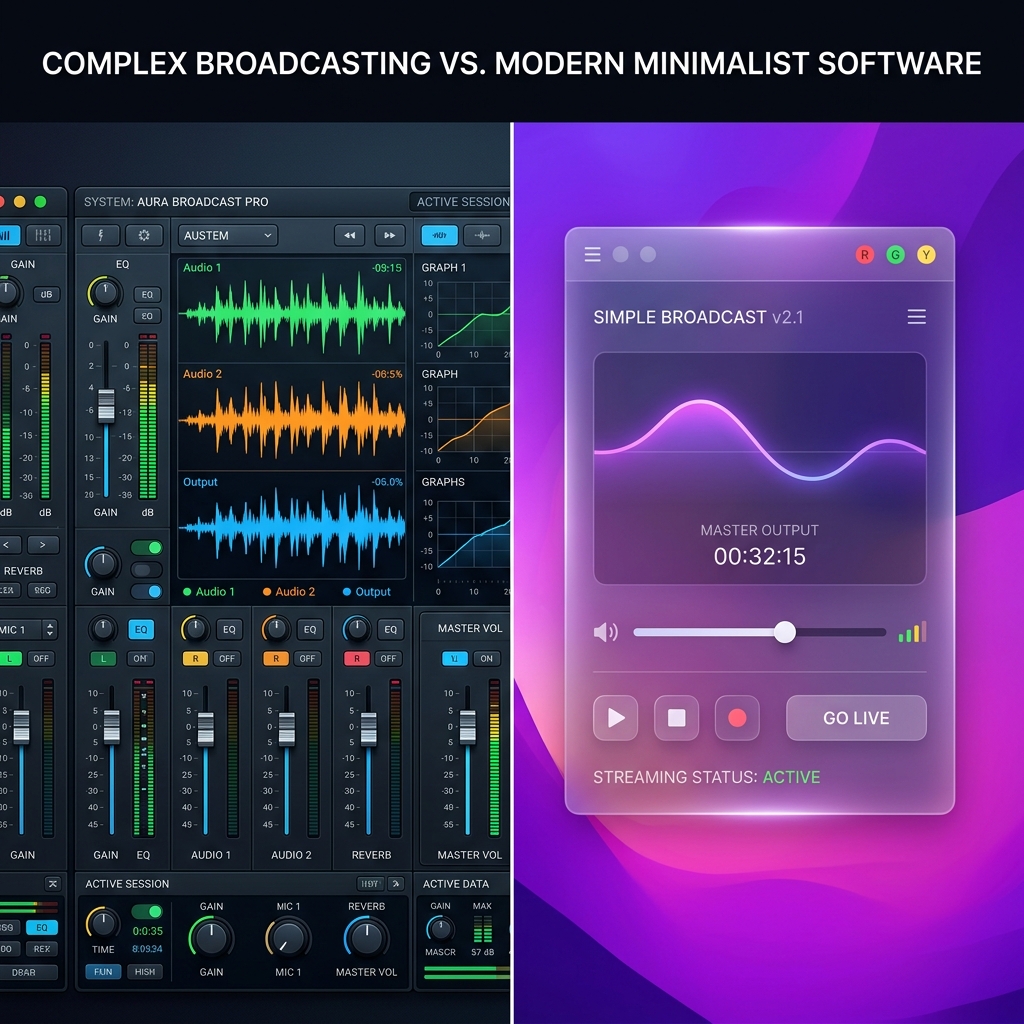
The Fundamental Split: Broadcasting vs. Presenting
The core mistake most creators make is viewing these platforms as competing versions of the same product. They aren't. They are built to solve completely different problems.
- OBS Studio is a Live Broadcast Console: Its primary objective is processing raw input and output streams. It features complex scene graphs, advanced audio mixers, virtual camera toggles, and encoding matrices. OBS optimizes for maximum control over raw data signal paths.
- Cubix Capture is an Automated Digital Director:** Its primary objective is automated visual comprehension. It monitors your application layout, mouse tracking, and keystroke behaviors, automatically making production decisions while you talk. Cubix Capture optimizes for audience legibility and zero-edit publishing speed.
Feature Breakdown: Where the Friction Lives
To understand how this philosophical divide impacts your daily creative process, let's break down the major pillars of a successful software tutorial.
1. The Mobile Readability Crisis (The Editing Tax)
- OBS Studio: Acts like a rigid security camera. It captures a flat, pixel-for-pixel recording of exactly what sits on your monitor. If you record an app workflow on a large desktop monitor, everything looks perfectly clear to you. But when a viewer watches that file on a smartphone, your desktop scales down aggressively and the text becomes unreadable. To fix this, OBS forces you into a heavy post-production pipeline where you must spend hours in an editor like Premiere Pro manually cutting clips and keyframing zooms.
- Cubix Capture: Built natively for multi-device viewing. It features Algorithmic Click-Based Auto-Zooming. As you naturally navigate through your app, the software dynamically glides in and smoothly magnifies your active menus, ensuring your code blocks, buttons, and fields are beautifully legible on any mobile device with zero manual timeline editing.
2. Mouse Tracking Aesthetics
- OBS Studio: Records your physical mouse input at full fidelity. If your hand tremors, or if you frantically flick your cursor across a laptop trackpad while trying to remember your script, that erratic, nervous movement is permanently baked into your video.
- Cubix Capture: Applies AI Cursor Path Smoothing. It intercepts your raw trackpad coordinates and automatically converts them into an elegant, fluid sweep across the screen, giving your tutorial an incredibly calm, professional, and confident presentation style.
3. Visual Staging and Environment
- OBS Studio: Requires you to build your recording environment piece by piece. If you want to frame your window nicely, you have to crop displays, build graphic overlay layers, group elements, and handle manual window targeting. If you include a webcam, your messy room is fully exposed unless you configure a heavy chroma key filter or buy a physical green screen.
- Cubix Capture: Automatically isolates your open application window and places it against stunning, dynamic Gradient and Live Canvas Backdrops. It cleanly separates your facecam into a pristine geometric floating bubble and features built-in, hardware-accelerated background blurring automatically.
Enjoying this read?
Get weekly insights on video editing, AI workflows, and creator growth straight to your inbox.
Feature Matrix
| Comparison Metric | OBS Studio | Cubix Capture |
|---|---|---|
| Price | 100% Free & Open Source | Free Starter Tier / $14.99/mo Premium |
| Learning Curve | High (Requires configuration) | Zero (Plug and play) |
| Framing Workflow | Manual scene & source grouping | Automated application isolation |
| Zoom Transitions | None (Requires external video editor) | Algorithmic, click-triggered auto-zooms |
| Cursor Handling | Raw physical mouse tracking | AI-powered path smoothing |
| Webcam Effects | Manual chroma key filters | Automated floating bubble & blur |
| Export Model | Local storage files only | Instant cloud share link or local save |
The Verdict: Which Tool Should You Choose?
The decision between OBS and Cubix Capture doesn't come down to which program is "better." It comes down to what you are optimizing for: control or speed.
Choose OBS Studio if: You are live-streaming a multi-camera broadcast to Twitch, managing a live-podcast with complex multi-channel audio boards, archiving raw software outputs at maximum uncompressed bitrates, or working with a dedicated post-production video editor who wants completely unedited raw plates to build custom motion graphics from scratch.
Choose Cubix Capture if: Your core objective is to ship software tutorials, documentation clips, product demos, onboardings, or YouTube lessons. If you want to record an elite, mobile-optimized presentation that features smooth cursor movements, automatic zooming, and gorgeous backdrops without losing your entire afternoon to a video editing timeline, upgrading your workflow to Cubix Capture saves you hours of friction and keeps your audience completely engaged from start to finish.
Don’t miss the next one.
Join our newsletter for exclusive tips, product updates, and the latest from the Cubix team.