
Use MP4 with a supported H.264/AAC combination for many sharing jobs; use MOV when your editor, client or production workflow asks for it. Keep the original if it already works. Neither extension guarantees better image quality, a smaller file or successful playback.
MP4 and MOV are containers: they package video, audio and metadata. H.264, H.265 and ProRes are video codecs that may be carried inside suitable containers. If the question is which compression codec to choose, see H.264 vs H.265.
MP4 vs MOV at a glance
| Decision | MP4 | MOV |
|---|---|---|
| Sharing or web delivery | Often a practical choice with H.264 video and AAC audio; check the destination's specifications | Accepted by many editors and upload services, but check the actual codec and destination |
| Editing | Can contain compressed camera or screen recordings that edit well on a supported system | Common in production workflows, including ProRes; an H.264 MOV is still H.264 |
| Quality | Depends on the encoded streams and settings | The extension does not recover detail or make an existing stream better |
| File size | Video/audio bitrate and duration usually dominate; container overhead also contributes | Same streams can have slightly different total bytes in a different wrapper |
| Transparency | Check the exact codec, file and destination; do not assume an ordinary H.264 MP4 carries alpha | ProRes 4444 MOV is one option when the receiving workflow supports alpha |
| Client delivery | Follow the requested codec, resolution, frame rate and audio specification | Follow the full specification, not just “send a MOV” |
The MDN container guide explains why support for a wrapper and support for its codecs are separate questions. A file named MP4 can still fail if its codec, profile or other properties are unsupported.
The wrapper and the streams are separate choices
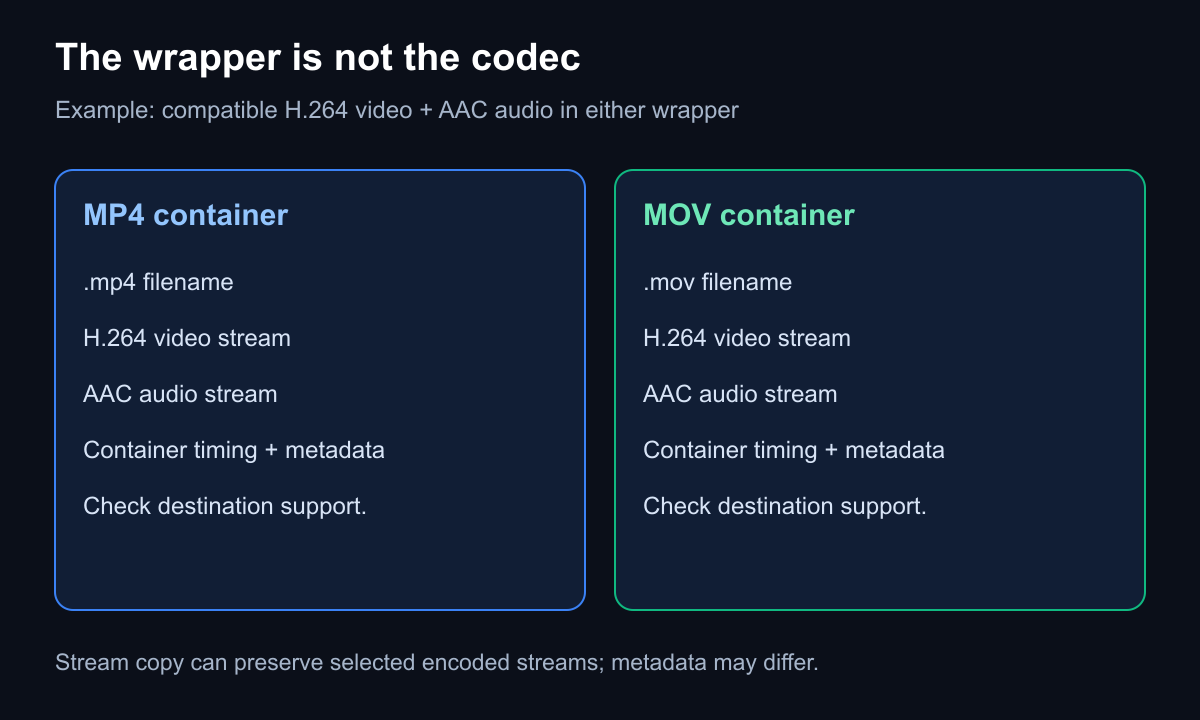
Original schematic. The sample below copies H.264/AAC streams between wrappers; it does not show every possible track or metadata combination.
The same supported H.264 video stream can be repackaged without encoding the pictures again. Its image quality is unchanged by that operation. Total file size and metadata may differ because the container structures, time bases and track handling can differ.
MOV is common with editing codecs such as ProRes, but changing an H.264 file into a MOV wrapper does not turn it into ProRes. Likewise, a ProRes conversion cannot recreate detail discarded by an earlier lossy encode. Choose it for a documented workflow requirement, not because MOV sounds like a higher-quality extension.
Keep, rename, remux or transcode?
Keep the original when it works
If the source imports, plays, edits and meets the destination specification, there may be no reason to convert it. Preserve the camera or recording original even if you make a separate delivery copy.
Renaming changes a name
Changing a filename from MOV to MP4 does not rewrite its container or convert its codecs. Some apps inspect the actual file and still open it; others reject it. Renaming is not a compatibility workflow.
Remuxing copies compatible streams
A remux, also called stream copy, writes selected encoded streams into another supported container without decoding and re-encoding them. It can be faster than transcoding, but it still reads and writes data and is not instantaneous for every file.
FFmpeg's stream-copy documentation describes this distinction. The destination must accept the selected streams. Extra audio tracks, subtitles, timecode and metadata need their own checks; copying the first video and audio streams does not promise to preserve everything.
Enjoying this read?
Get weekly insights on video editing, AI workflows, and creator growth straight to your inbox.
Transcoding encodes a new stream
Transcode when you need a different codec, resolution or other delivery property, or when a documented workflow requires a new encode. Lossy re-encoding can introduce further loss and takes processing time. The result depends on the settings and source; it is not automatically a visible improvement.
An inspected example: the same streams in MP4 and MOV
We created an eight-second synthetic sample with original text artwork, a moving test pattern and a tone. It is an illustration, not camera footage or a client test. Using FFmpeg 8.0.1 on October 22, 2026, we copied its first H.264 video and AAC audio streams from MP4 into MOV:
ffmpeg -i h264-example.mp4 -map 0:v:0 -map 0:a:0 -c copy same-stream-example.mov
| Property | MP4 input | MOV output |
|---|---|---|
| Video | H.264, 1280 × 720, 30 fps | H.264, 1280 × 720, 30 fps |
| Audio | AAC, 48 kHz, mono | AAC, 48 kHz, mono |
| Duration | 8 seconds | 8 seconds |
| Total bytes | 740,664 | 740,715 |
| Encoded video packet hash | Same SHA-256 result | Same SHA-256 result |
| Encoded audio packet hash | Same SHA-256 result | Same SHA-256 result |
The two whole-file hashes differ. Separate FFmpeg stream-hash checks match for the selected video and audio packet payloads. This verifies the selected encoded streams in this example; it does not prove identical container metadata or playback behavior in every app. The input contains no extra audio, subtitle or timecode track to preserve.
Compare the MP4 sample, MOV copy and inspection record with full hashes. The byte difference is an observation for these files, not a general MP4/MOV size rule.
Before choosing a converter
If a destination needs H.264/AAC MP4, a converter may need to transcode the source. The Cubix MOV-to-MP4 page describes an H.264/AAC encode; do not assume it is the same lossless stream-copy operation shown above.
If you specifically need MOV, the MP4-to-MOV tool exposes Remux, High and ProRes choices. Those are different operations. Check the selected mode and inspect your output; these local FFmpeg samples do not verify the converter service. The tools use server conversion endpoints, so do not assume processing stays only in your browser.
Common questions
Is MOV higher quality than MP4?
Not inherently. The encoded content and settings determine the picture. The same video stream in another supported wrapper has not gained detail.
Does MOV-to-MP4 conversion lose quality?
Stream copy avoids another video encode when compatible. A lossy transcode can change quality. Check what the converter actually does rather than relying on the filename or a “high quality” label.
Why might a MOV still fail after conversion?
A wrapper change does not add a missing decoder. Check the output codec, profile, bit depth, dimensions, audio and destination requirements. Test a short representative sample on the receiving device before converting a large library.
Don’t miss the next one.
Join our newsletter for exclusive tips, product updates, and the latest from the Cubix team.