
You spent forty hours perfecting the micro-interactions on a new mobile app layout. The hover states are flawless, the dropdown menus are buttery smooth, and the user flow is a masterpiece of modern UI/UX design.
You export a flat JPEG of your design, upload it to your portfolio website, and completely lose the magic.
A static image cannot show how a design feels. It cannot demonstrate a complex prototyping animation, and it cannot prove to a hiring manager or a freelance client that your interface is actually intuitive to use.
In 2026, the static design portfolio is dying. The best designers in the world are using video to showcase their work. But if you just hit record on a basic screen capture tool, you might actually make your premium designs look cheap.
Here is why your standard screen recordings are ruining your portfolio, and the exact recipe for creating breathtaking, cinematic video case studies that land you high-paying clients.
The "Static Screen" Problem
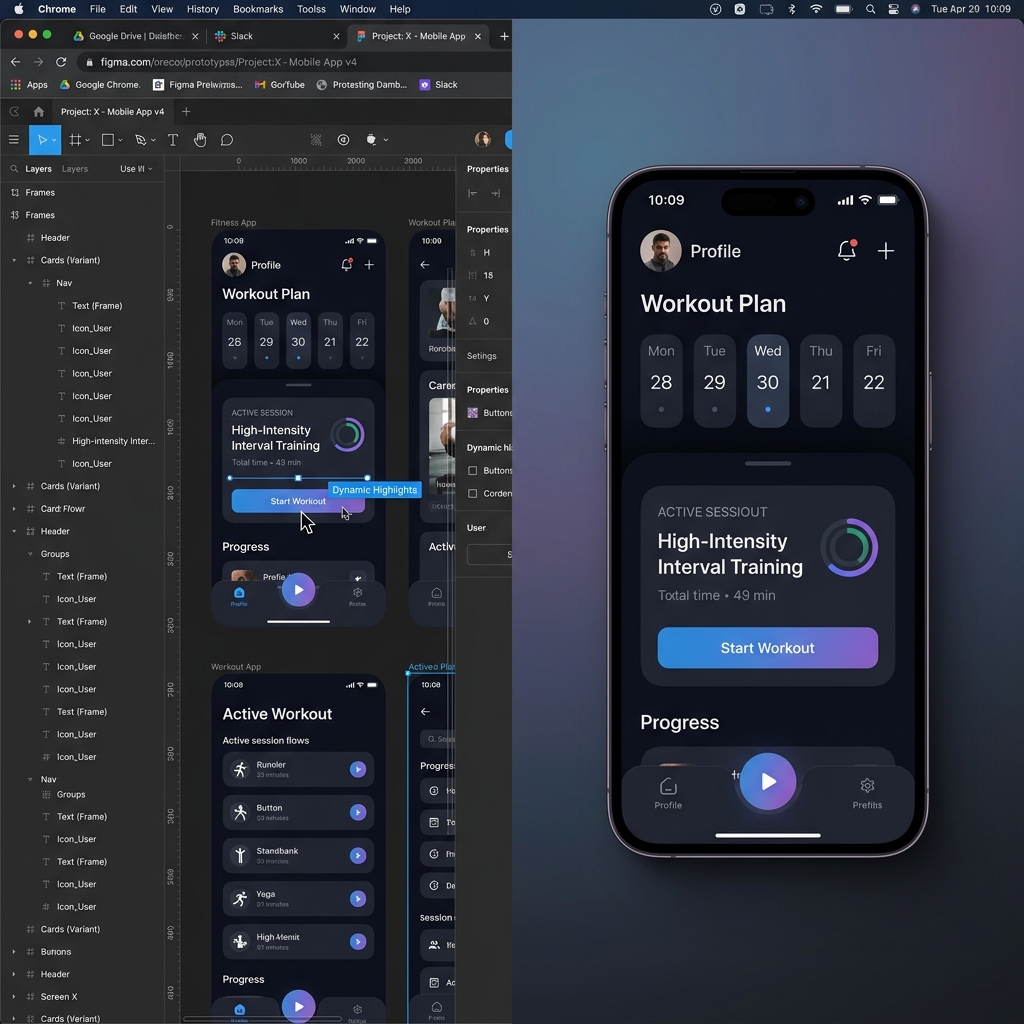
When a recruiter or a potential client looks at your portfolio, they are evaluating your attention to detail. If you use a basic tool like QuickTime or the Windows Snipping Tool to record your Figma prototype or live website, you are capturing a lot of ugly details you don't intend to show.
Here is what ruins a designer's video portfolio:
- The Cluttered Browser: If you are recording a web app, standard tools capture your URL bar, your massive list of bookmarks, and your open tabs. It instantly distracts the viewer from your actual design work.
- The Designer's Speed Tax: Designers navigate interfaces incredibly fast—muscle-memory through Figma plugins, keyboard shortcuts that span four panels at once. On a recording, that speed reads as twitchy and unsure. A jumpy cursor undercuts the calm, intentional craft you spent forty hours pouring into the file.
- The "Mobile Squish": Hiring managers frequently review portfolios on their phones during a commute or between meetings. If you record your massive 27-inch 4K monitor and it gets shrunk down to a 6-inch vertical screen, your beautiful typography and crisp icons become a blurry, unreadable mess.
If your presentation is messy, the client will assume your design process is messy, too.
The 3 Rules of a Cinematic Design Video
To create a video portfolio that commands premium rates, your screen recordings need to look like Apple product launch videos. You need to treat your UI like the star of a movie.
Here is the 3-step recipe to achieve that cinematic look:
1. Crop and Spotlight (The Zoom Rule)
Never show your entire desktop. If you are demonstrating a specific feature like a complex pricing toggle or a unique navigation bar, the camera needs to zoom in tightly on that specific element. By spotlighting the interaction, you ensure the viewer's eyes are exactly where you want them, and you guarantee the design is perfectly readable on mobile devices.
Enjoying this read?
Get weekly insights on video editing, AI workflows, and creator growth straight to your inbox.
2. Smooth the Motion (The Cursor Rule)
Your mouse cursor is your digital presenter. It needs to move with intention. Instead of capturing your erratic hand movements, your cursor should glide elegantly from one button to the next. This makes the interface look incredibly smooth, easy to use, and highly professional.
3. Elevate the Environment (The Background Rule)
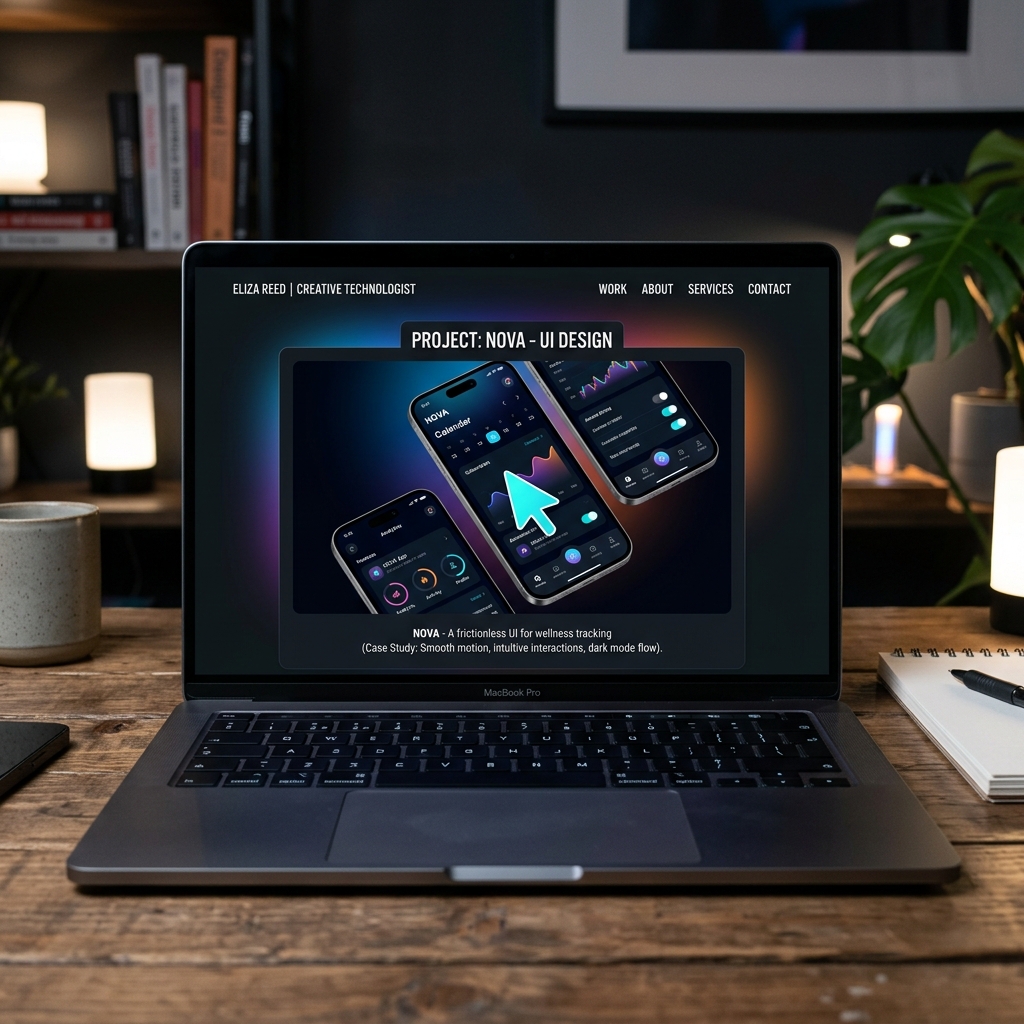
You are a designer; aesthetics are everything. A raw screen recording with sharp corners floating in a black void is boring. You need to isolate your design window, round the corners, add a subtle drop shadow, and place it over a beautifully branded, dynamic background.
The Ultimate Tool for Video Portfolios
In the past, creating this "Apple-product-launch" presentation meant finishing your UI design, recording a raw video, and then spending five hours inside Adobe After Effects. You had to manually animate zoom keyframes, mask out your browser tabs, and try to clean up your cursor path frame by frame.
You are a UI/UX designer, not a motion graphics animator. You shouldn't have to spend your weekend doing tedious video editing just to update your portfolio—and the time you sink into After Effects is time you are not putting into your next case study.
This is exactly why top-tier designers use Cubix Capture. The cinematic decisions a portfolio video needs are baked into the recording itself, not deferred to a post-production project that lives on your desktop for three months.
Here is how it maps to the portfolio-specific problem:
- Micro-interaction framing. Designers do not need a wide shot of a Figma file. They need the hover state, the menu animation, the search box opening with its little spring curve. The camera tightens on whichever interaction you are actually demonstrating, so the moment of craft is the largest thing on screen—exactly where a recruiter's eyes need to land.
- Cursor motion that behaves like a hover state. Your real cursor is a tool. Your portfolio cursor is part of the design. The recorder interprets your input into a path that feels intentional, the same way you would design a "hover → click → confirm" sequence in Figma. It lets your work read as something you composed, not something you flailed through.
- Window treatment built for portfolios. Your Figma or browser window is automatically isolated, given rounded corners and a drop shadow, and floated over a stage you can color-match to the project. That is the exact treatment every senior designer manually rebuilds in Premiere; here it happens at capture time.
- A second exportable artifact, not a separate project. When you stop recording, you have a clip you can drop straight onto a portfolio page, into a Loom-style case study response to a recruiter, or into a Dribbble shot. There is no "I will edit it next weekend" backlog growing on your hard drive.
Show, Don't Just Tell
Your portfolio is your most valuable career asset. Don't let your hard work get lost in flat, lifeless JPEGs or messy, unedited screen recordings.
When you present your designs with cinematic zooms, intentional cursor motion, and premium window treatment, you instantly separate yourself from the thousands of other designers competing for the same roles. You prove that you care about the final presentation just as much as the wireframes—and that is the trait every senior design hire is being screened for.
If you are ready to stop doing manual video editing and want to effortlessly generate breathtaking video case studies for your portfolio, upgrade your toolkit with Cubix Capture.
Related reading:
- Best Screen Recorder for Figma Designs
- How to Create Cinematic Screen Recordings Without a Video Editor
- How to Record Your Screen With Gradient Backgrounds (Mac & Windows)
Don’t miss the next one.
Join our newsletter for exclusive tips, product updates, and the latest from the Cubix team.