
If you are hunting for a video tool to scale your content output, you have likely run into two massive names: Descript and Cubix Capture.
Both platforms are praised for changing how videos are built, and both use automation to shave hours off your production pipeline. Because they both use the word "video" in their marketing, it is easy to assume they are direct competitors fighting for the same spot on your desktop.
But they aren't. They are entirely different tools built for entirely different jobs.
If you choose the wrong one, you will find yourself fighting against the software framework. Here is an honest, practical breakdown of the core differences between Descript and Cubix Capture, and how to know which tool to deploy for your specific workflow.
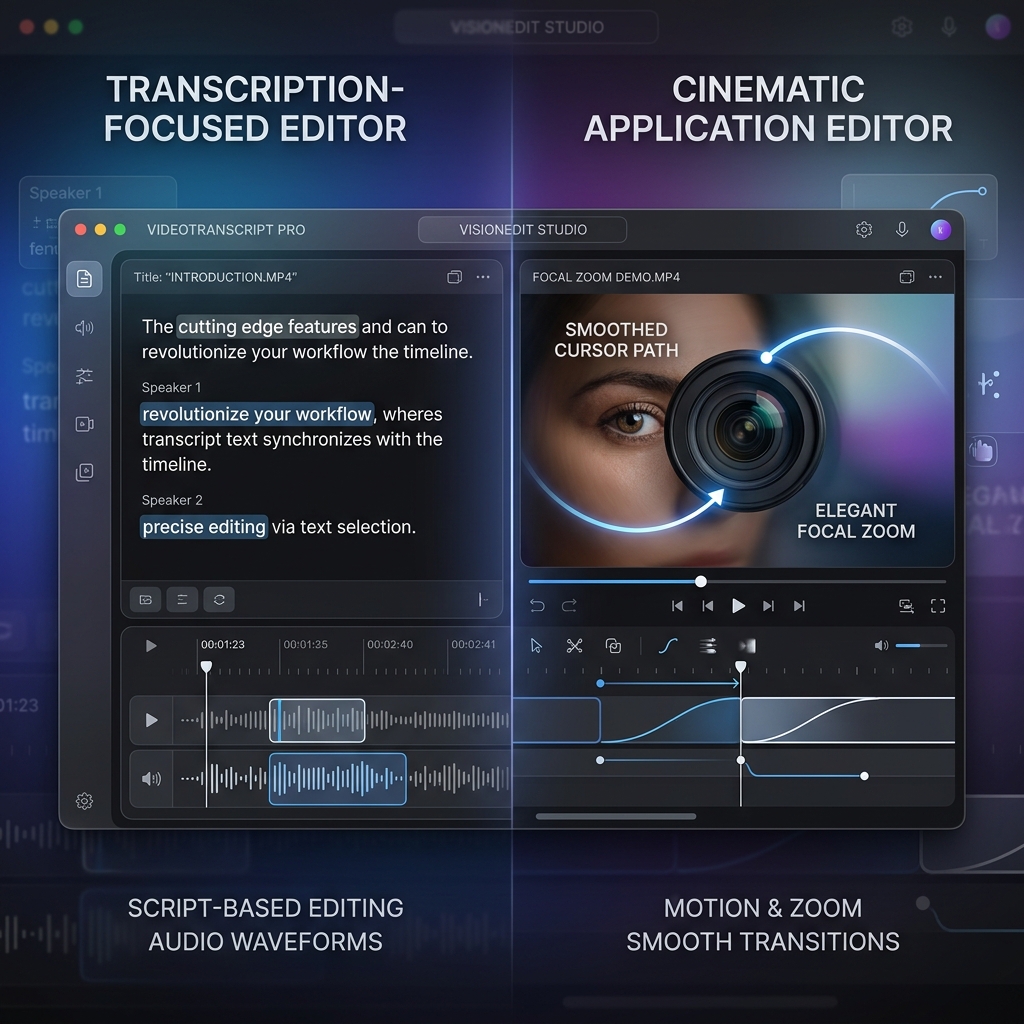
The Core Philosophies: Text Editing vs. Visual Staging
To understand where these apps belong in your creator stack, you have to look at what they are actually analyzing when you click the record button.
Descript: The Text-Based Audio & Video Processor
Descript’s foundational breakthrough is treating video like a Microsoft Word document. When you drop a video into Descript or record directly into it, the software immediately transcribes your voice into text.
If you want to edit the video, you don't look at a traditional timeline of video clips; you look at the text paragraph. If you delete a sentence from the script, Descript automatically slices out that exact segment of the video track. It is a tool optimized for narrative pacing, vocal clarity, and audio-first editing.
Cubix Capture: The Automated Cinematic Director
Cubix Capture ignores the script and focuses entirely on your visual user interface. It acts as an automated camera operator that watches your mouse coordinates, desktop clicks, and application boundaries.
Instead of treating your desktop like a flat, raw pixel map, Cubix Capture dynamically edits the camera paths while you are speaking. The second you click a dropdown menu or type into a code block, the software smoothly glides in and magnifies that region. It is a tool optimized for visual legibility, desktop style, and zero-edit recording speed.
Feature Breakdown: Slicing by Task
Let’s look at how both platforms handle specific creative tasks so you can map them to your business or channel goals.
1. Fixing Audio Mistakes vs. Fixing Shaky Cursors
- Descript: Features unmatched audio polish. If you say "um," "uh," or stutter mid-take, Descript’s AI can scan your entire transcript and delete every single filler word with a single click. It even features Overdub, an AI voice engine that lets you type a new word into the text script to generate a vocal correction without rerecording.
- Cubix Capture: Features unmatched visual polish. It doesn't modify your spoken words; it fixes your physical mouse behavior. It applies AI Cursor Path Smoothing, catching the natural, shaky micro-movements of your hand on a laptop trackpad and converting them into an elegant, cinematic glide that anchors the viewer’s eye.
2. Layout Aesthetics and Mobile Survival
- Descript: Gives you a traditional, flat canvas canvas. If you record your screen in Descript, it saves the raw, full-size screen pixels. If a viewer watches that file on a smartphone, the text scales down dramatically and becomes microscopic unless you manually add zoom-and-pan properties on its timeline layout.
- Cubix Capture: Natively solves the mobile legibility crisis. Its core Algorithmic Focal Zooming dynamically tracks your presentation movements, meaning software interfaces, spreadsheet cells, and dashboard buttons comfortably survive small 6-inch screens automatically at capture time. Furthermore, it isolates your targeted windows against stunning, ready-to-publish gradient backgrounds.
Enjoying this read?
Get weekly insights on video editing, AI workflows, and creator growth straight to your inbox.
Comparison Summary
| Creative Dimension | Descript | Cubix Capture |
|---|---|---|
| Primary Editing Interface | Text transcript editor (Word-doc model) | Real-time automated presentation recorder |
| Core Automation Focus | Audio processing, filler word deletion, captions | Focal zooming, cursor smoothing, window framing |
| Mobile Screen Optimization | Manual cropping & timeline positioning | Algorithmic click-triggered auto-zooms |
| Camera Staging | Green screen removal & eye-contact correction | Floating webcam geometric bubble with native blur |
| Best Used For | Podcasts, talking-head videos, script heavy clips | Software tutorials, product walkthroughs, demos |
The Verdict: Which Tool Belongs in Your Workflow?
You shouldn't be asking which platform is better; you should look at the type of content you are building today:
Use Descript if: You are producing talking-head YouTube videos, recording a multi-guest podcast, editing long audio interviews, or building narrative content where you need advanced transcript slicing, automatic subtitle generation, and deep audio engineering.
Use Cubix Capture if: Your core goal is showing an audience how to use a digital tool. If you are launching software tutorials, building standard operating procedures (SOPs) for a team, recording SaaS product demos, or creating digital course lectures and you want your videos to look premium and mobile-optimized without losing your afternoon to an editing timeline upgrading to Cubix Capture gives you an immediate speed and clarity advantage.
Don’t miss the next one.
Join our newsletter for exclusive tips, product updates, and the latest from the Cubix team.