
If you sell on Etsy, you already know how incredibly competitive the marketplace is. When a potential customer searches for a product, they are flooded with hundreds of beautiful thumbnail images.
To help sellers stand out, Etsy introduced the Listing Video, a 15-second silent video that plays automatically when a shopper hovers over your product.
For sellers of physical items like jewelry or pottery, this is easy: you just point your smartphone camera at your product and slowly rotate it. But what if you sell digital products?
If you sell Notion templates, digital planners, spreadsheet trackers, or Canva designs, your product is your screen. And unfortunately, most digital sellers are completely ruining their listing videos by recording their screens incorrectly.
If your Etsy listing video looks like a boring, hard-to-read computer monitor, you are losing sales. Here is why your current screen recordings are hurting your shop, and the exact recipe to create breathtaking, high-converting Etsy videos for your digital products.
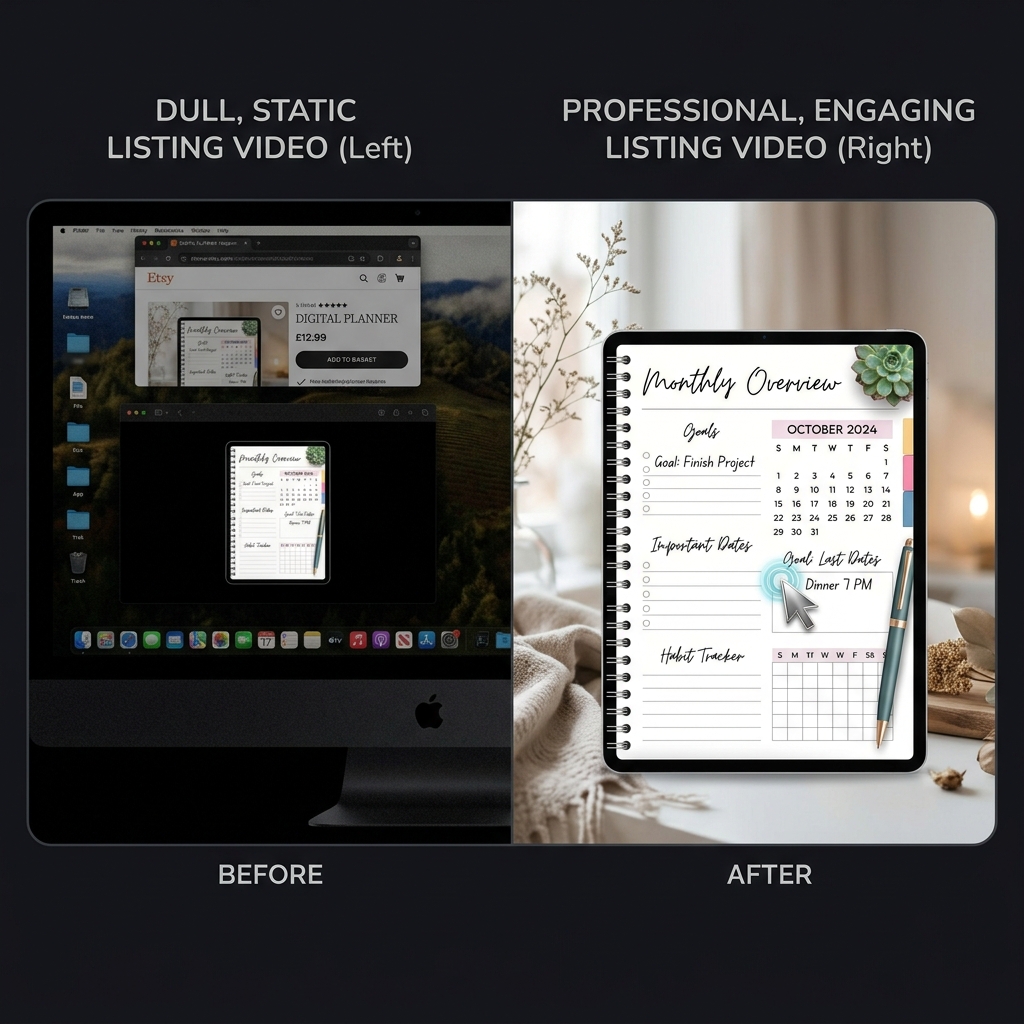
The "Silent Salesperson" Problem
Etsy listing videos have two major constraints: they are extremely short (only 15 seconds), and they play without sound.
Because you cannot rely on a voiceover to explain your product, your visuals have to do 100% of the selling.
The biggest mistake digital sellers make is hitting record on a basic screen capture tool and capturing their entire desktop. When you upload a wide, static screen recording to Etsy, you are ignoring the most important rule of e-commerce: The Mobile Shopper.
Over 60% of all Etsy purchases are made on a mobile device. If you record your massive 24-inch computer monitor, and a buyer watches that video on their 6-inch phone screen, your beautiful digital planner or complex spreadsheet is shrunk down to the size of a postage stamp.
If a buyer cannot read the text, see the buttons, or understand how your template works within the first three seconds, they will scroll right past your listing to a competitor.
The 3 Rules for High-Converting Etsy Videos
To turn your 15-second video into a conversion machine, you have to stop recording raw screens and start creating cinematic presentations. Your video must follow these three visual rules:
1. Zoom in on the Details (The Readability Rule)
You cannot show your entire product at once. Instead, your video must focus on the best features. If you are selling a budget spreadsheet, the camera needs to smoothly zoom in on the colorful charts and the specific cells where the user types. This "spotlight" effect guarantees that a mobile shopper can actually see the value of your product.
Enjoying this read?
Get weekly insights on video editing, AI workflows, and creator growth straight to your inbox.
2. Glide, Don't Jitter (The 15-Second Rule)
Because you only have 15 seconds, you might feel the need to move your mouse really fast to show off five different features. Do not do this. A fast, twitchy cursor reads as "this template is going to be confusing" before a buyer ever clicks into your listing. Slow your mouse path down deliberately, or use a recorder that interprets the input into a calm, weighted motion automatically—either way, the cursor needs to feel like a confident demo, not a panicked scroll.
3. Match Your Shop's Aesthetic (The Branding Rule)
Etsy shoppers love aesthetics. If your shop has a clean, minimalist boho vibe, but your screen recording shows your messy Windows taskbar, a cluttered web browser, and random desktop icons, you completely break the illusion of a premium product. You must isolate your digital product and place it over a background that matches your brand.
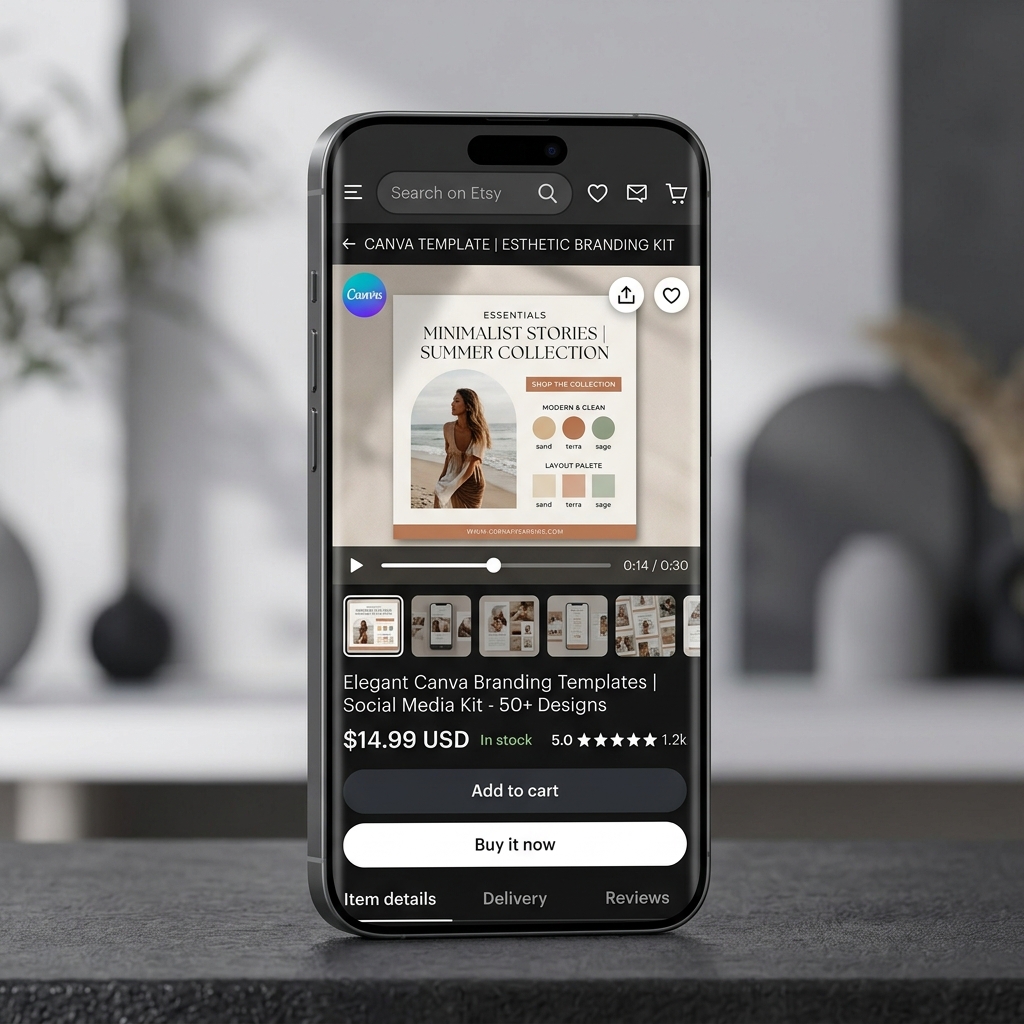
The Best Screen Recorder for Etsy Sellers
In the past, making a digital product video look this good was a nightmare. You had to record a basic video, import it into heavy editing software like Premiere Pro, and spend hours manually adding zoom keyframes, cropping out your taskbar, and trying to clean up your mouse path.
As an Etsy seller, you wear a dozen hats. You are the designer, the customer service rep, and the marketer. You do not have three hours to spend editing a 15-second video—especially when you are listing eight new digital products this month.
This is exactly why top Etsy digital sellers use Cubix Capture. It is built to make the finished file match Etsy's silent, mobile-first, brand-led environment, not just to capture pixels.
Here is how it maps to the Etsy listing video format specifically:
- Mobile-first framing. A buyer is going to see your 15-second clip inside a small product card on a phone. The camera tightens on whichever cell of your spreadsheet, page of your planner, or block of your Notion template you are actually clicking into, so the detail that matters is large enough to read on a 6-inch screen instead of a postage-stamp thumbnail.
- Deliberate motion for silent video. Because there is no voiceover to forgive your cursor, the mouse path is interpreted into a confident, weighted glide during capture. Each click feels intentional, which is the unspoken signal Etsy shoppers use to judge whether a product is "professional."
- Shop-brand backgrounds. Your messy taskbar, Slack notifications, and personal wallpaper never enter the recording. The active window floats over a clean, color-matched stage that you can align to your shop's palette—neutral beige for boho shops, soft gradient for kawaii planner shops, deep navy for productivity templates—before you ever hit export.
- Hits the Etsy 15-second cap with breathing room. Because zoom and staging are decided at capture time instead of in a post-production pass, your final clip is already trimmed for tempo. You are not stuck cramming five demo steps into eleven seconds; the camera does the emphasis work for you.
Sell the Experience, Not Just the File
When a customer buys a digital product, they are buying a solution to a problem. They want to feel organized, productive, or creative.
Your listing video is your only chance to visually prove that your product delivers that feeling. By pairing tight framing, calm cursor motion, and a brand-aligned stage, you instantly elevate your product from a "cheap digital download" to a "premium digital experience" worth the price you are charging.
Stop losing sales to bad screen recordings. If you are ready to effortlessly create breathtaking, highly clickable Etsy listing videos without ever touching a complex video editor, upgrade your digital shop with Cubix Capture.
Related reading:
- Best Screen Recorder for Notion Walkthroughs
- How to Make Your Screen Recordings Look Professional Without Any Skills
- 5 Screen Recorders With Gradient Backgrounds
Don’t miss the next one.
Join our newsletter for exclusive tips, product updates, and the latest from the Cubix team.