
Making the jump from Mac to Windows is an exciting performance upgrade. You wave goodbye to thermal throttling, embrace massive GPU computing power, and open the door to a world of hardware customization. But once the initial excitement settles and you start setting up your software creator stack on your new PC, reality hits.
You open a browser, head to the web, and search for the installer file for your absolute favorite macOS utility: Screen Studio.
And that is when you discover the hard truth: Screen Studio is built exclusively for macOS frameworks, and no Windows version exists.
If you are used to Screen Studio automatically smoothing out your jittery cursor sweeps, elegantly masking your application window over a floating gradient backdrop, and dynamically zooming into text inputs, looking at standard Windows screen recorders feels like stepping backward into the dark ages. Standard tools leave you with a flat, giant, unmoving full-desktop recording where text looks microscopic forcing you to spend hours manually drawing scale keyframes inside Premiere Pro or DaVinci Resolve just to make your video readable on smartphones.
But don’t pack up your new PC just yet. While you can't run Screen Studio on Windows, the PC software ecosystem has finally caught up. You can easily replicate that exact high-end, high-retention cinematic presentation style natively on Windows. Here are the absolute best tools to replace Screen Studio on a PC.
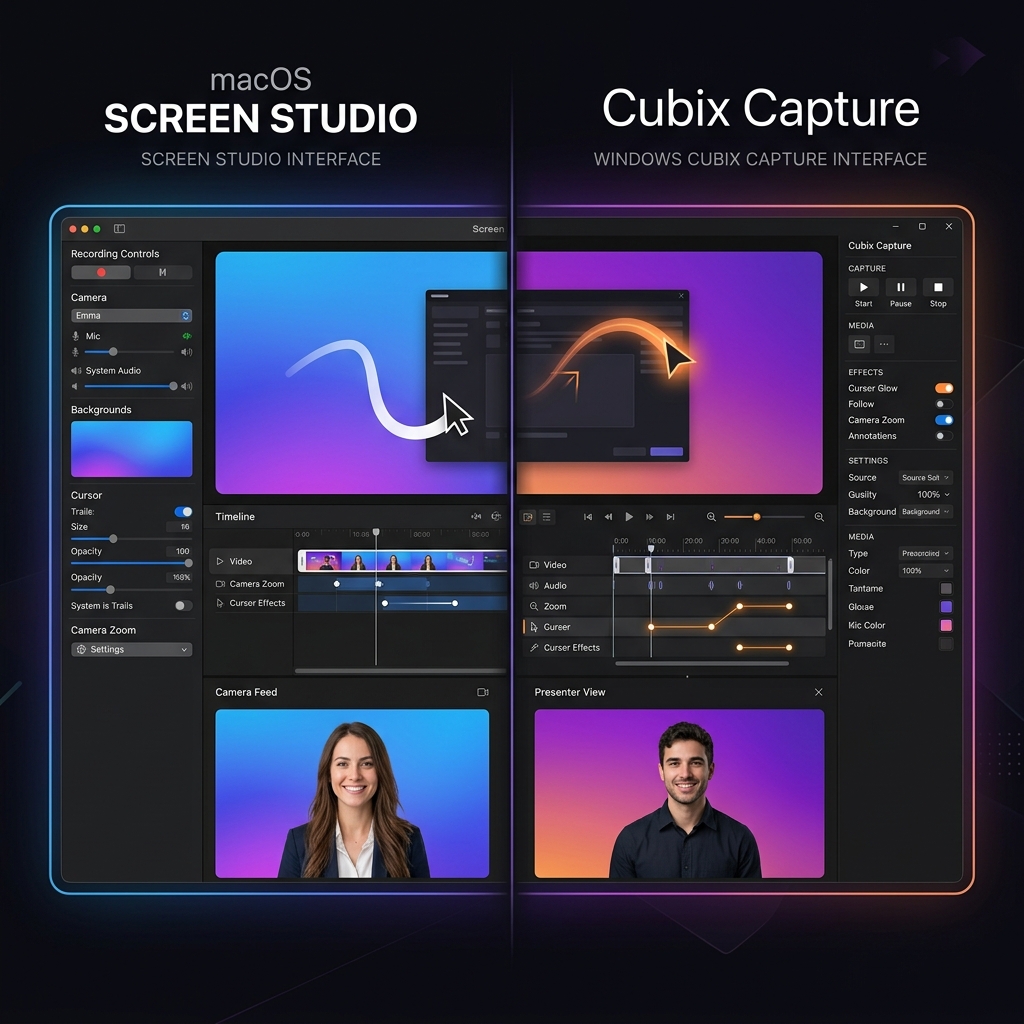
The Closest Thing to Screen Studio on Windows: Cubix Capture
If what you will miss most is the workflow, recording something once and having it come out polished with no editing, Cubix Capture is the replacement that feels most like home after the switch.
It works the way Screen Studio does: not a passive recorder that dumps raw pixels, but a camera director working live while you talk. You point it at the app you are demoing, and it crops away the taskbar and desktop clutter, drops your window onto a clean gradient background, and, the instant you click or type, zooms smoothly into that spot so small UI stays readable when the video ends up on a phone. Your shaky mouse path gets smoothed into a clean glide, and the moment you hit stop the finished file is ready, with no timeline and no keyframes.
The one genuine upgrade over Screen Studio: Cubix Capture is cross-platform. If you ever move back to macOS, or end up living on both, the exact same tool and the exact same output style come with you. That portability is the piece Screen Studio never offered.
The Open-Source Privacy Companion: Cap
For switchers who lean heavily into minimalist design and want a completely open-source toolkit, Cap has emerged as an excellent cross-platform competitor.
- How it Works: Built under a clean open-source license, Cap offers an ultra-lightweight desktop environment that works beautifully on Windows.
- The Screen Studio Look: It allows you to inject basic canvas padding, choose layout background colors, and apply smooth click-based camera zoom scales post-capture.
- The Catch: The free application tier imposes a localized 5-minute recording cap. If you are filming complex, long-form coding tutorials or lengthy product webinars, you will need to scale into their extended subscription plans.
The Local Post-Processor: Rapidemo
If you prefer to record your screen completely raw and make structural decisions about your camera zooms after the recording session is over, Rapidemo is a stellar utility built specifically for PC.
- How it Works: While you record your screen, Rapidemo runs a background sensor layer that logs your exact mouse coordinate interactions.
- The Screen Studio Look: Once you hit stop, it drops you into a specialized post-capture dashboard where it applies sudden pan-and-zoom visual cuts over your click targets. You can manually dial the zoom depth up or down before saving.
- The Catch: The overall visual styling options are minimal. It lacks the highly advanced 3D mockup angles, custom gradient staging environments, and advanced vector path smoothing found in premium design tools.
Enjoying this read?
Get weekly insights on video editing, AI workflows, and creator growth straight to your inbox.
The Windows Creator Replacement Matrix
| Presentation Capabilities | Cubix Capture | Cap | Rapidemo |
|---|---|---|---|
| Auto-Zoom Engine | Live Algorithmic Tracking | Click-Triggered Zooms | Post-Capture Click Pans |
| Cursor Path Smoothing | Yes (AI Vector Stabilization) | Basic Tracking | Minimal |
| Staging Canvas Aesthetics | High-End Custom Gradients | Standard Solid Fills | Minimal Fixed Color |
| Production Speed | Instant (Zero Post-Edit) | Fast Local Review | Fast Local Review |
The Bottom Line After the Switch
Moving to Windows does not have to mean downgrading your videos to flat, full-screen desktop captures nobody can follow on a phone. The Screen Studio look, cursor smoothing, automatic zooms, and clean gradient staging, is fully available on a PC now; it just lives under different names. Cubix Capture is the closest match for a zero-edit workflow, Cap is the pick if you want open-source, and Rapidemo suits anyone who prefers to add zooms after recording. Any of the three beats keyframing scale by hand in Premiere.
Keep Reading
- Screen Studio for Windows: Why It Doesn't Exist and What to Use Instead for the full why-and-what breakdown.
- My Team Uses Both Mac and Windows: What's the Screen Studio Equivalent? if you are standardising across a mixed-OS team.
- Screen Studio Windows Download: Does It Exist? if you are still hunting for an installer.
- Screen Studio Windows Alternative: Free Options in 2026 for the no-cost picks.
Don’t miss the next one.
Join our newsletter for exclusive tips, product updates, and the latest from the Cubix team.