
"Free" is doing a lot of work in most Screen Studio alternative roundups. A tool that costs nothing but takes forty minutes of manual keyframing per video is not free, it is just billing you in a currency that does not show up on a receipt.
So this list is organised around what each option actually costs you, in money and in time. Screen Studio is macOS-only, which is settled and explained in Why Screen Studio Is Mac Only. What is not settled is what a Windows user on a budget should reach for instead, and the honest answer depends on which of those two currencies you have more of.
Four options are worth your attention. Only one of them gives you the automatic zoom and cursor smoothing without an editing session afterwards, and it is worth being clear about why the others do not.
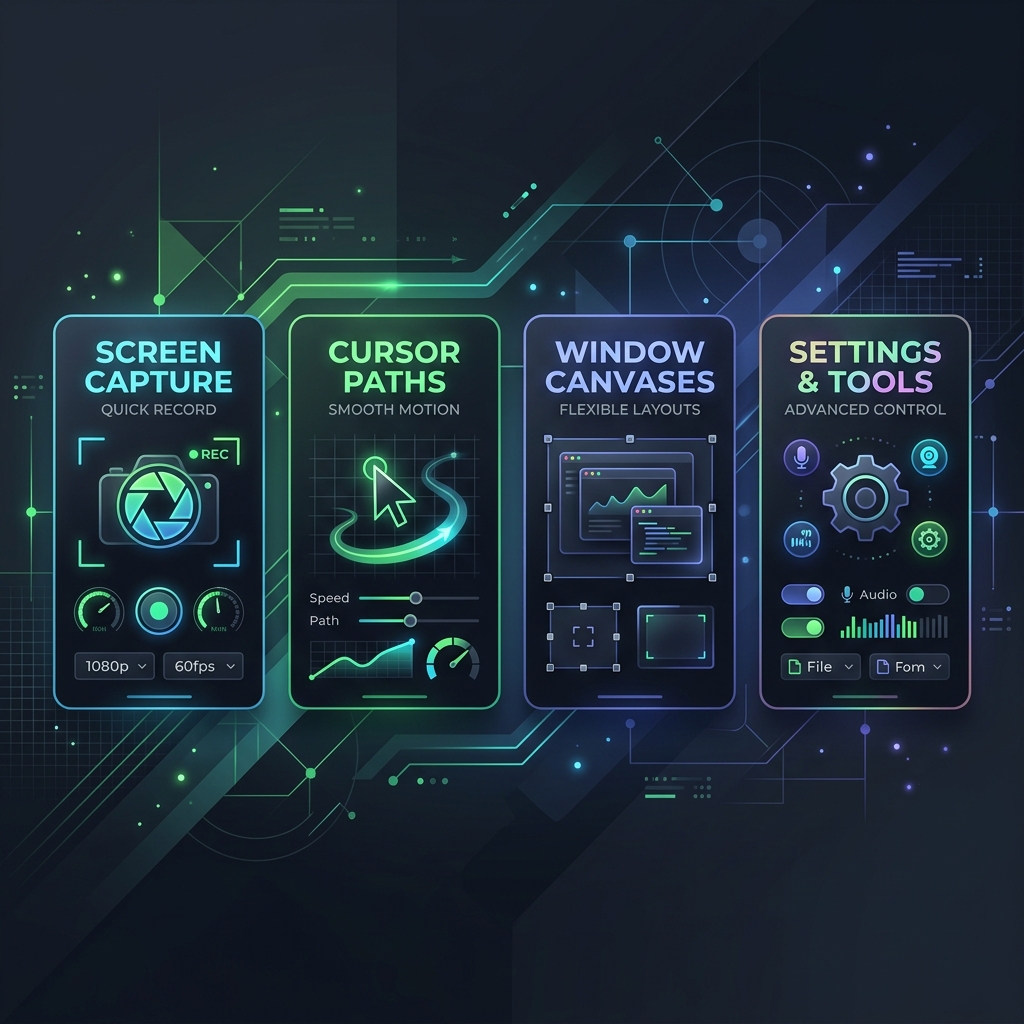
1. The Dynamic Automated Standard: Cubix Capture
If your primary goals are high-end brand aesthetics, immediate post-production turnaround, and a completely zero-edit capture workflow, Cubix Capture stands out as the premier functional alternative to Screen Studio on Windows PCs.
While it features a robust free-tier toolkit, Cubix Capture isn't a passive screen recording container. It actively operates as a virtual cinematic director live in the background while you talk, converting raw desktop feeds into fully staged presentation models on the fly.
-
Initialize the Dynamic Presentation Canvas: Isolate the desktop workspace cleanly. Launch the desktop application and target your active software window. Cubix Capture instantly crops out your messy Windows taskbar, desktop clutter, and private system tray notifications, automatically anchoring the chosen interface frame over stunning, high-definition gradient backdrops.
-
Record with Live Algorithmic Focusing: Let the framing engine build focus paths. Deliver your tutorial or product walkthrough completely naturally. The exact millisecond you execute a physical mouse click or type text into a form input, the software's engine smoothly pans and magnifies that coordinate grid dynamically. This keeps small interface text at a crisp, highly readable 1:1 scale on mobile viewports.
-
Deploy Vector Cursor Smoothing: Smooth out shaky hand movements instantly. As you navigate, the tool catches naturally frantic, sudden, or jittery tracking patterns from your physical mouse or trackpad. It smooths these inputs into clean, fluid cinematic sweeps that cleanly guide the viewer's eye.
-
Instant Local Processing and Export: Generate finished files the millisecond you finish. Click stop recording. The tool packages your floating circular webcam overlay, smoothed vector cursor assets, and responsive tracking paths into a finalized video asset instantly, allowing you to bypass a complex timeline video editor entirely.
2. Cap: The Open-Source Privacy Alternative
For creators who refuse to deal with dynamic cloud frameworks and demand total data privacy, Cap has quickly grown into one of the top open-source screen recording alternatives available on the market.
- How it Works: Cap publishes its application framework under an open-source MIT license. It provides a clean, cross-platform local recorder for Windows and Mac that prioritizes data sovereignty and offline editing.
- The Screen Studio Aesthetic: Cap features an integrated editing interface that supports auto-zoom triggers when clicking interactive zones, customizable cursor highlights, and stylized padding backdrops.
- The Catch: The completely free tier operates with a localized 5-minute time limit per recording clip. If you require long-form webinar processing or multi-hour coding recordings, you will need to look at their extended cloud packages.
3. OBS Studio + External Editing: The Power-User Workflow
If you want a solution that is 100% free forever, carries absolutely zero watermarks, handles massive timelines, and supports complex hardware configurations, OBS Studio remains the undisputed king of open-source screen capture.
- How it Works: OBS Studio records raw, uncompressed video at up to 4K resolution at 60 fps natively on any Windows computer. It handles multiple dedicated microphone inputs, system audio tracks, and window scrapers smoothly.
- The Screen Studio Aesthetic: Here is the honest trade-off: OBS Studio does not auto-zoom or smooth your cursor movements out of the box. To get the signature Screen Studio look, you must capture your raw, high-resolution desktop footage inside OBS, then import that file into a free video editor like DaVinci Resolve or Shotcut. From there, you must manually animate your pan-and-zoom keyframe values over your cursor paths.
- The Catch: It carries a steep time tax. What tools like Cubix Capture or Screen Studio do automatically in real time will take you thirty minutes to an hour of tedious manual editing per video inside a traditional timeline editor.
Enjoying this read?
Get weekly insights on video editing, AI workflows, and creator growth straight to your inbox.
4. Screenity: The Browser-First Companion
If your software or product lives entirely inside a web browser (like a SaaS platform, a digital design workspace, or a web tool), you don't even need to install a heavy desktop application onto Windows. You can use Screenity.
- How it Works: Screenity is a completely free, highly secure open-source extension built directly for the Google Chrome and Microsoft Edge browser ecosystems.
- The Screen Studio Aesthetic: It allows you to record any browser tab or full screen while providing robust live annotation tools. You can draw lines on your live UI, blur out private customer data fields mid-recording, and highlight your click locations with high-contrast animations.
- The Catch: Because it operates out of a browser extension sandbox, it cannot provide automated post-capture canvas padding, 3D card tilts, or complex systemic cursor path reconstruction layers.
Windows Free Capability Matrix
| Feature Set | Cubix Capture | Cap | OBS Studio | Screenity |
|---|---|---|---|---|
| Licensing Profile | Free Tier / Premium | Open Source (MIT) | Open Source (GPL) | Open Source |
| Auto-Zoom Engine | Live Algorithmic | Click-Triggered Zooms | No (Requires Manual Edit) | No (Focus Highlights Only) |
| Cursor Path Smoothing | Yes (AI-Driven) | Basic Tracking | No | No |
| Staging Canvas Gradients | High-End Custom Shells | Standard Backgrounds | No (Requires Manual Masking) | No |
| Best Workflow Fit | Rapid Zero-Edit Demos | Privacy-First Walkthroughs | In-Depth Local Power-Users | Quick Browser Explainer Clips |
So Which One?
Work it backwards from the constraint you actually have.
If your time is worth more than nothing, the OBS route is the expensive option on this page despite its price. Thirty to sixty minutes of keyframing per video, every video, forever. Over a year of weekly tutorials that is a working week spent animating zooms by hand. Take it only if you genuinely enjoy the editing or your volume is low enough that it never compounds.
If you need real privacy or offline-only capture, Cap earns its place, and the five-minute cap is a real constraint rather than a nag. Check your typical recording length against it honestly before committing.
If your product lives in a browser tab, Screenity is genuinely enough, and installing a desktop app for it is overkill.
If you want the Screen Studio result without the editing session, Cubix Capture is the one option here that applies the zoom, the smoothing and the staging while you record, so stopping the recording is the last step rather than the first.
None of these requires a Mac. That is the part that was not true a few years ago, and it is why the premise of this search has quietly expired.
Keep Reading
- Screen Studio for Windows: Why It Doesn't Exist for the overview of the whole question.
- Why Screen Studio Is Mac Only for the engineering reason.
- Free Screen Studio Alternative for Windows on what "free" should actually mean here.
- Best Free Auto-Zoom Screen Recorders if auto-zoom is your only must-have.
- Screen Studio Windows Download: Does It Exist? before running any .exe claiming to be it.
Don’t miss the next one.
Join our newsletter for exclusive tips, product updates, and the latest from the Cubix team.