
Let us not bury the answer three scrolls down.
There is no Screen Studio for Windows. There is no beta, no waitlist, and no announced plan to build one. If you came here to find a download link, you can stop searching, and you should be sceptical of any site that offers you one.
The more useful question is the one you actually have underneath: you saw a screen recording with buttery cursor movement, automatic zooms into every click, and the window floating on a gradient, and you want to make that on a PC. That is a completely solvable problem in 2026. It just does not get solved by installing Screen Studio.
This page is the short version of every branch of that question, with links to the detail where it matters.
Find Your Actual Question
| What you are really asking | The short answer | Full detail |
|---|---|---|
| Is there any Windows version or roadmap? | No, and none announced. | Is Screen Studio Available for Windows? |
| I found a "Screen Studio.exe" download. Is it safe? | No. It is not their software. | Screen Studio Windows Download: Does It Exist? |
| Can I force it via a VM or Hackintosh? | Technically sometimes. Practically, no. | Can You Use Screen Studio on a PC? |
| Why can't they just port it? | The capture layer is Apple-specific. | Why Screen Studio Is Mac Only |
| What do I actually use on Windows? | Keep reading below. | Free options |
One warning deserves repeating outside the table. Search "Screen Studio Windows download" and you will find .exe files. Screen Studio has never shipped a Windows binary, so every one of those is something else wearing its name, and the usual something else is malware. Do not run them.
Why It Does Not Exist (The Short Version)
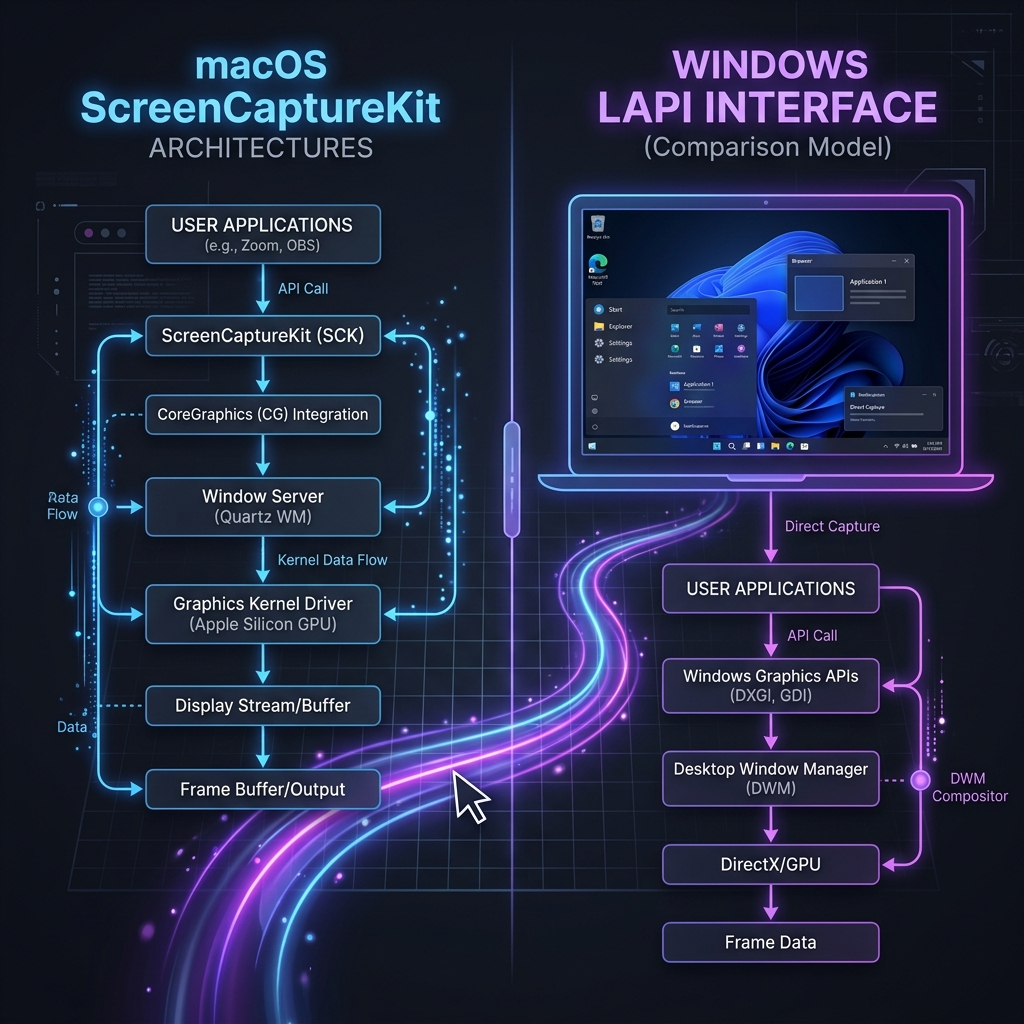
The technical reason is that Screen Studio is built on Apple's own capture and rendering frameworks, and those have no Windows equivalent to port to. That is not a matter of exporting the code differently. It is a rewrite of the part of the app that does the actual work.
There is also a business reason, and it explains why "just hire a Windows developer" is not the retort it sounds like. Screen Studio is made by a very small team. For a small team, a Windows port is not one project, it is a permanent second product: a second codebase, a second support queue, a second QA matrix across a vastly more varied hardware landscape. Plenty of small Mac-first companies have concluded that doing one platform well beats doing two adequately, and there is no sign this one thinks differently.
If you want the engineering detail, which frameworks specifically, what Windows offers instead, and why a port is genuinely a rewrite rather than a recompile, that is covered properly in Why Screen Studio Is Mac Only.
Enjoying this read?
Get weekly insights on video editing, AI workflows, and creator growth straight to your inbox.
What to Use on Windows Instead
The good news is that the "Screen Studio look" is not a secret. It comes from three things, and you can get all three on Windows today:
- Automatic zoom that follows your clicks, so interface text stays readable when someone watches on a phone.
- Cursor path smoothing, which removes the jitter that makes screen recordings feel amateur.
- Window staging, which puts your app on a clean background instead of showing your taskbar and desktop clutter.
Cubix Capture is the closest functional equivalent on Windows, and it works the same way Screen Studio does: it applies all three while you record rather than making you keyframe them afterwards in an editor. You stop recording and the video is finished. That is the actual thing you were after when you went looking for a Mac app.
Two other paths are worth knowing, because neither is right for everyone:
- FocuSee if your team is split across both operating systems and you need identical output from Windows and Mac machines.
- OBS plus a video editor if you want zero spend and do not mind doing the zooms by hand. It is genuinely free and genuinely slower, roughly thirty to sixty minutes of manual keyframing per video.
If budget is the constraint, the free and open-source options are compared in detail in Screen Studio Windows Alternative: Free Options.
What This Costs You: Nothing
Here is the part worth internalising, because it reframes the whole search that brought you here.
Screen Studio is excellent software. But you were never chasing Screen Studio. You were chasing a recording that holds attention on a phone screen, and the app was just the route you saw someone else take. Windows users spent years genuinely stuck on this, doing the zooms by hand in Premiere or shipping flat, unwatchable full-desktop captures. That gap is closed. You are not settling for a substitute, and you do not need to buy a Mac.
Record it, stop recording, ship it. Cubix Capture does that on the machine you already own.
Keep Reading
- Why Screen Studio Is Mac Only for the engineering answer in full.
- Screen Studio Windows Download: Does It Exist? before you run any .exe claiming to be it.
- Can You Use Screen Studio on a PC? if you are considering a VM or Hackintosh.
- Screen Studio Windows Alternative: Free Options if you want to spend nothing.
- Cubix Capture vs Screen Studio for a direct feature comparison.
Don’t miss the next one.
Join our newsletter for exclusive tips, product updates, and the latest from the Cubix team.