
If you have spent any time trying to optimize your workflow on a Mac, you have likely encountered two terms that sound similar but do very different jobs: Clipboard Managers and Snippet Managers.
Both are designed to help you stop retyping information, but they approach the problem from two completely different directions. Understanding which one you need or if you need both is the secret to creating a truly high-speed digital workspace.
What Is a Clipboard Manager? (The Dynamic Memory)
A clipboard manager is all about history. It acts like a digital "short-term memory" for your computer.
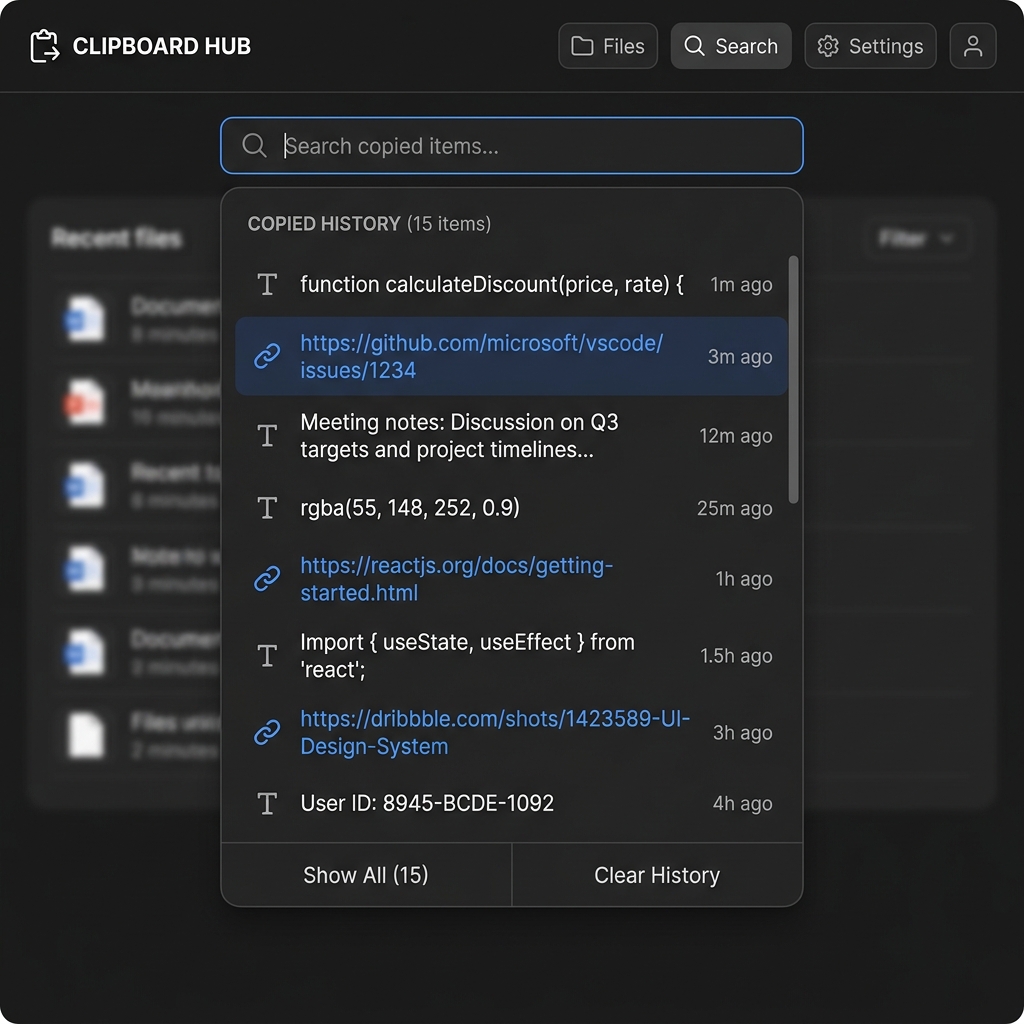
Every time you hit "Command + C," your clipboard manager silently records the action. It keeps a chronological timeline of everything you copy, text, links, images, and files throughout your day.
- Best for: When you have a lot of different things to copy in quick succession, like gathering research from multiple browser tabs, moving items between documents, or copying data from an email to a spreadsheet.
- The Key Characteristic: It is ephemeral. It records what you are doing right now. It is a rolling log that updates constantly as you work.
What Is a Snippet Manager? (The Static Library)
A snippet manager, on the other hand, is all about permanence. It is a digital "long-term library" for your most-used pieces of information.
You manually save specific chunks of text (or "snippets") that you know you will need repeatedly. These are things like your office address, a common email signature, a frequently used code block, or a standard legal disclaimer.
- Best for: Anything you have to type or paste more than once a week. Instead of finding that information and copying it again, you pull it out of your library with a single click or shortcut.
- The Key Characteristic: It is static. It holds what you have already decided is important. It stays exactly the same until you manually edit it.
Enjoying this read?
Get weekly insights on video editing, AI workflows, and creator growth straight to your inbox.
The Recipe for a Unified Workflow
The mistake most people make is choosing one over the other. To be truly efficient, you need a workflow that handles both your temporary copying needs and your permanent storage needs.
Here is the simple recipe to combine both into a powerhouse system:
- Use a manager for the "now": Let your clipboard manager handle the busy work of your current task, saving all your random copies so you never lose your progress.
- Use a snippet library for the "always": Keep your most-used data in a dedicated collection where it is never buried or erased.
- Combine for speed: When you reach for your clipboard history to paste, make sure you have quick access to your pinned snippets, too.
The All-in-One Solution
You do not need to clutter your Mac with two different pieces of software to get both of these features. The smartest way to handle your dynamic history and your permanent snippets in one place is with Cubix Clip.
It is a completely free clipboard manager for Mac that gives you the best of both worlds.
Once it is quietly running in the background, it automatically handles your history, keeping a secure timeline of every single thing you copy so you never lose a link or a paragraph again. But it also includes powerful organization features that allow you to pin and save snippets. You can take any important item from your history and turn it into a permanent snippet that stays at the top of your list forever.
Instead of jumping between different apps, you just press one keyboard shortcut. You get your searchable, chronological history for your current task and your permanent, pinned snippets for your daily needs all in one elegant, distraction-free menu.
If you want to stop the madness of retyping the same text and finally get your clipboard and snippets organized, you can download this essential free tool right here: Cubix Clip.
📖 Keep reading: what a clipboard manager is and why Mac users need one, the best clipboard manager for developers on Mac, and keyboard shortcuts to paste faster on Mac.
Final Thoughts
The real power of a great digital workflow is not just saving time, it is about reducing the mental friction of switching between apps. By using one tool to manage both your dynamic clipboard history and your permanent snippets, you simplify your system and keep your focus exactly where it belongs: on your work!
Don’t miss the next one.
Join our newsletter for exclusive tips, product updates, and the latest from the Cubix team.