
For years, Loom has been the undisputed king of asynchronous video communication. It popularized the effortless, instant-share link and the ubiquitous circular facecam bubble. If you need to point out a bug to a developer, send a rapid update to a remote team, or quickly check in with a client, Loom is an incredible tool. It’s built for speed, and it handles workplace communication flawlessly.
However, as we navigate 2026, a massive migration is happening. High-end tutorial creators, online educators, and YouTube tech-channel hosts are systematically moving away from Loom.
They aren't switching because Loom is broken; they are switching because they’ve realized Loom was built for messages, while their audiences expect content.
For public-facing software walkthroughs, premium courses, and high-retention tutorials, creators are upgrading to Cubix Capture. Here is an honest look at exactly why tutorial makers are making the switch this year.
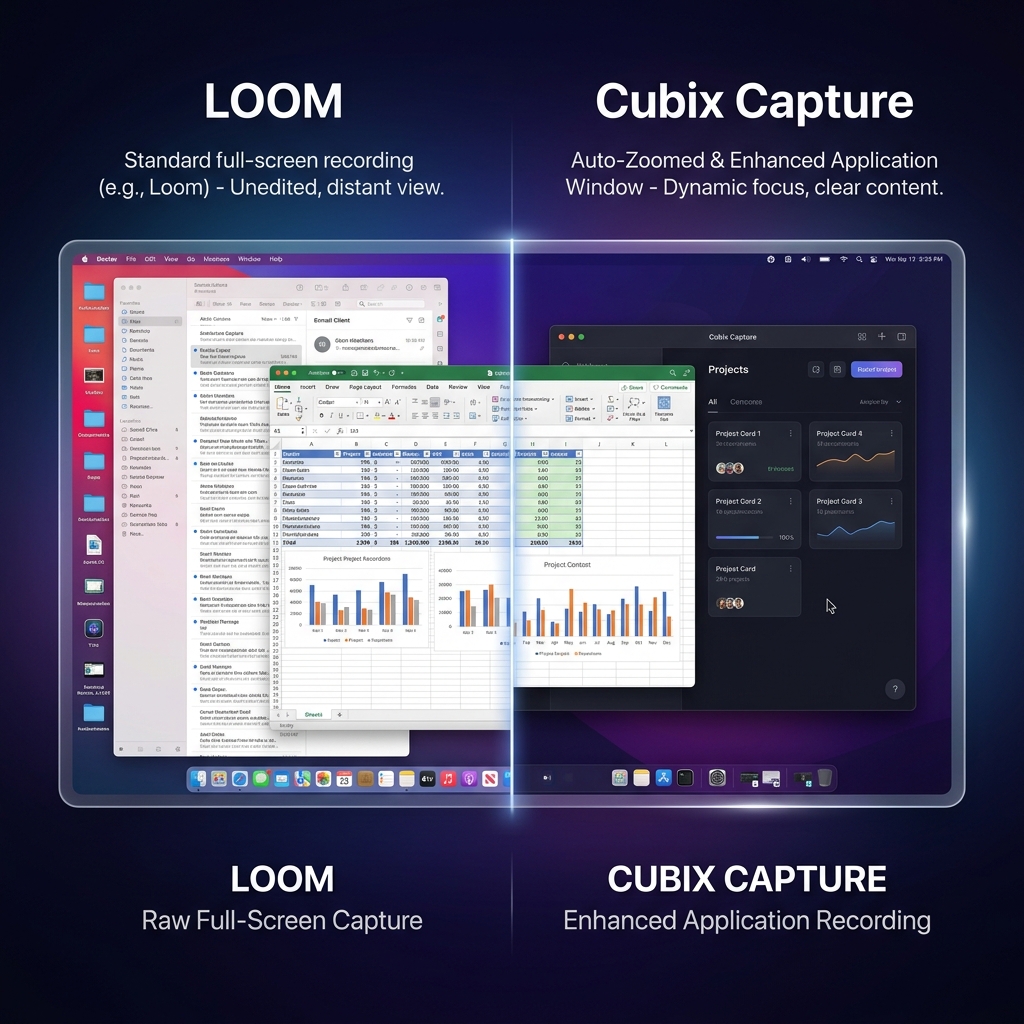
1. The Mobile Readability Crisis (Solving the "Tiny Text" Problem)
The absolute biggest point of friction with Loom is that it functions like a passive security camera. It records a rigid, pixel-for-pixel layout of your monitor exactly as it sits.
If you record a walkthrough on a large desktop monitor, it looks clear to you. But in 2026, over 60% of online educational content is consumed on mobile devices. When a full desktop layout is forced onto a 6-inch smartphone screen, the user interface text shrinks aggressively and becomes microscopic.
- The Loom Workflow: To make a Loom video watchable on a phone, creators have to download the raw video file, import it into a heavy video editor, slice the timeline into fragments, and spend hours manually animating custom pan-and-zoom keyframes to track their actions.
- The Cubix Capture Workflow: Cubix Capture features real-time Algorithmic Click-Based Auto-Zooming. As you naturally navigate through your workspace, the software dynamically and smoothly glides the camera into your active windows and dropdown menus, ensuring text blocks are instantly legible on mobile screens without a single second of post-production timeline editing.
2. AI Cursor Smoothing vs. Frantic Hand Movements
When you are recording a tutorial, you are trying to project confidence and authority. However, when we naturally use computers, our eyes move faster than our hands, causing us to flick, circle, and dash our mouse across the screen erratically.
Under the close scrutiny of a tutorial or a digital lecture, that frantic cursor behavior creates visual anxiety and looks highly unprofessional.
Loom records your raw physical mouse tracking perfectly. Cubix Capture, however, applies real-time AI Cursor Path Smoothing. It intercepts your physical trackpad or mouse inputs on the fly and translates them into a fluid, elegant, camera-dolly sweep. It completely masks your natural hand tremors and guides the viewer's focus with absolute cinematic calm.
Enjoying this read?
Get weekly insights on video editing, AI workflows, and creator growth straight to your inbox.
3. Professional Brand Staging vs. Raw Desktop Chaos
When you send an internal update to a coworker, they don't care if your desktop is messy, your browser has thirty open tabs, or your webcam shows a cluttered bedroom in the background. They just need the information.
But public viewers whether they are paying students, YouTube subscribers, or high-value SaaS prospects subconsciously judge your brand on production aesthetics.
| Production Metric | Loom | Cubix Capture |
|---|---|---|
| Canvas Layout | Flat, raw full-monitor image | Isolated app framed over dynamic backdrops |
| Desktop Clutter | Fully exposed tabs, docks, and folders | Hidden natively by application masking |
| Webcam Delivery | Standard circle overlaid on top of content | Clean floating bubble with automated blur |
| Pacing Control | Linear raw capture | Smart transitions & customizable camera curves |
Cubix Capture automatically isolates your targeted application window and places it against stunning Gradient and Live Canvas Backdrops. It hides your bookmarks, tabs, and personal notifications natively, while seamlessly blurring your webcam background using hardware acceleration.
The Functional Split: Message-First vs. Asset-First
Ultimately, the mass transition from Loom to Cubix Capture boils down to recognizing the core intent of your video asset.
-
Analyze the Audience Relationship: When to open Loom. Ask yourself: Does the person watching this already care about me? If it is a colleague, a manager, or a warm client who needs a fast internal update, favor Loom. The goal is instant communication speed (time-to-link).
-
Evaluate the Shelf-Life and Platform: When to open Cubix Capture. Ask yourself: Will this video compete for attention on the open internet, or serve as an evergreen brand asset? If it is going on YouTube, a premium course curriculum, or a marketing landing page, favor Cubix Capture. The goal is comprehension and production authority.
-
Move the Editing Finish Line: The golden rule for tutorial velocity. If your tutorial needs zooms and visual polish, trying to force Loom to do it requires adding an external video editor, which kills your velocity. By using Cubix Capture, the design polish, cursor smoothing, and zooming happen while you speak, meaning your video is fully finished the millisecond you hit stop.
Summary
Loom remains an exceptional tool for workplace operational chatter, and it isn't going anywhere. But when it comes to creating high-retention software tutorials that need to captivate an audience, look premium on mobile screens, and project brand authority, creators are choosing efficiency. By moving the visual design and camera directing phase into the recording session itself, Cubix Capture gives modern tutorial makers their afternoons back.
Don’t miss the next one.
Join our newsletter for exclusive tips, product updates, and the latest from the Cubix team.