
Every tool that ships auto-zoom will tell you manual keyframing is obsolete. That is marketing, not analysis.
Manual zoom is genuinely better at three specific jobs. Auto-zoom is genuinely better at almost everything else — and the gap is not about quality, it is about cost per zoom. Once you actually count the zooms in a normal tutorial, the decision makes itself.
Let's count them.
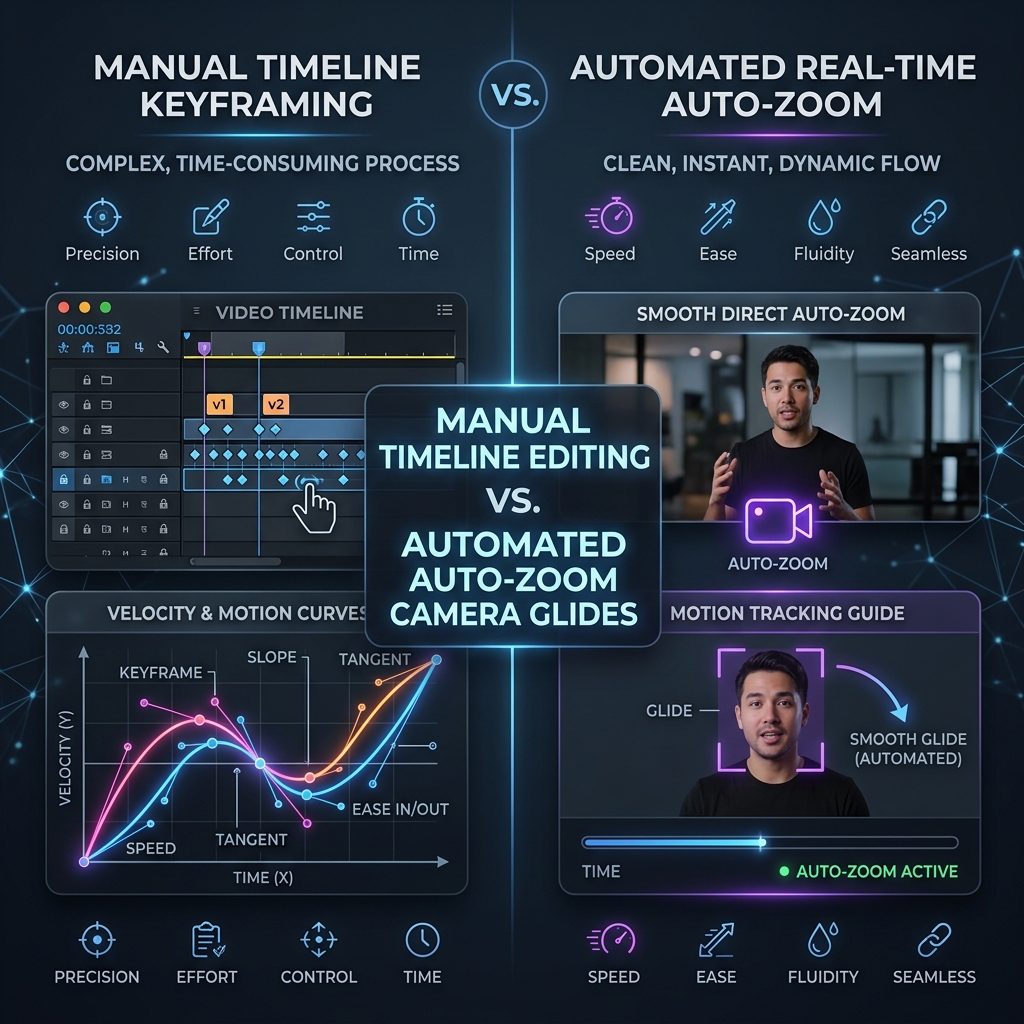
First, define the two things properly
They are not two settings on the same feature. They happen at completely different points in the pipeline.
Manual zoom is a post-production transform. You record flat, import into an editor, and animate the scale and position properties of the video layer over time. The editor knows nothing about your software — to it, your recording is a rectangle of pixels.
Auto-zoom is a capture-time decision. The recorder logs your interaction metadata alongside the video: cursor coordinates, click events, keystroke focus, window bounds. Afterwards it uses that log to place camera moves. It knows you clicked a button at (1420, 860) at 00:41 — so it knows where to look.
That distinction drives everything below. Manual zoom costs you time per zoom. Auto-zoom costs you control per zoom.
The time math nobody does
Here is the part most comparisons skip. Take a normal 5-minute software walkthrough — a settings tour, an onboarding flow, a feature demo.
Count the moments a viewer needs to see something small: menu opens, field entries, toggle flips, button clicks, a result appearing. In a typical 5-minute product walkthrough that's 20 to 30 moments. Each one needs a zoom in and a zoom out — so 40 to 60 keyframe pairs.
Now price a single one in a timeline editor:
| Step | Realistic time |
|---|---|
| Scrub to the exact frame of the click | 20-40s |
| Set scale + position keyframes at the start | 15s |
| Drag X/Y to frame the target, set end keyframes | 30-45s |
| Open the graph editor, ease the curve so it isn't robotic | 30-60s |
| Play it back, hate it, nudge it | 30s |
That's 2 to 3 minutes per zoom, and that's assuming you know the software. Twenty-five zooms is 50 to 75 minutes of keyframing for five minutes of video — before you've touched audio, cuts, or export.
Publish weekly and that's an hour a week, forever, spent dragging rectangles. Publish daily and manual zoom is simply not a workflow you can sustain.
Auto-zoom's cost for the same 25 zooms is zero, because the click log already contains all 25 timestamps and coordinates.
Where manual zoom genuinely still wins
This is the honest part, and it's why "manual zoom is dead" is wrong.
1. When the zoom target isn't where the cursor is
Auto-zoom infers intent from your cursor and clicks. So it fundamentally cannot zoom to something you never touched.
If you want to say "...and notice the row count in the corner updated" while your cursor sits idle in the middle of the screen, auto-zoom has no signal. It will not go there. Manual zoom will.
Any moment where the thing you're talking about is not the thing you're clicking is a manual moment.
2. When the zoom must be timed to narration, not to a click
Auto-zoom fires on your interaction. Scripted, voiceover-led video often needs the camera to arrive before the action — a slow push-in during a sentence, landing exactly on the word "here."
That's a cinematography decision tied to an audio waveform, not to a click event. Editors are built for that. Auto-zoom isn't.
Enjoying this read?
Get weekly insights on video editing, AI workflows, and creator growth straight to your inbox.
3. When you need a specific, unusual frame
A slow 8-second creep across a dashboard. A zoom that deliberately keeps two distant elements in frame at once. A hold on an empty state for comedic timing. Anything where the framing itself is the point.
Auto-zoom gives you good, consistent, predictable framing. It does not give you interesting framing.
The rule of thumb: if a human would have to explain why the camera moved there, it's a manual zoom. If the answer is obviously "because that's where the work is happening," auto-zoom already has it covered.
Where auto-zoom wins, and why it isn't close
For everything that is "the camera goes where the work is" — which is the overwhelming majority of tutorial, demo, onboarding, and support video — auto-zoom wins on four axes at once:
- Cost per zoom is zero. The 50-75 minutes above disappears entirely.
- Consistency. Zoom #23 is framed exactly as carefully as zoom #1. Human attention decays; a click log doesn't.
- Cursor path smoothing. Because the recorder has the actual cursor coordinate stream, it can smooth the jitter out of your real hand movement. An editor working from flat pixels cannot — the shake is baked in.
- Late changes are cheap. The zoom is a transform over full-resolution footage, not a destructive edit. Decide the zooms are too tight? Move one slider. In a timeline, that's re-touching 25 keyframe pairs.
That last point is underrated. Manual zoom is expensive to change, not just expensive to make.
The hybrid nobody mentions
The framing of this whole debate as either/or is a false choice, and the best workflow is neither pure option.
Modern auto-zoom tools like Cubix Capture don't bake zooms into pixels — they generate an editable list of camera moves from your click log, then let you adjust them.
So the actual professional workflow is:
- Record. Auto-zoom generates all 25 camera moves from your interactions.
- Review. Scrub through. 22 of them are right.
- Fix the three. Delete the one that fired on an accidental click. Extend the hold on the one where you're reading out a long config value. Add one manual zoom for that "notice the row count" beat auto-zoom couldn't know about.
- Export.
That's five minutes of work instead of seventy-five, and you keep the manual control exactly where manual control actually matters. You are paying the keyframing tax only on the 10% of zooms that genuinely need a human.
The decision table
| Your situation | Use |
|---|---|
| Weekly/daily tutorials, demos, onboarding, support clips | Auto-zoom — the time math is decisive |
| Scripted, VO-led marketing film with a storyboard | Manual — camera is timed to narration, not clicks |
| Product launch video where framing is a creative choice | Manual, or auto as a rough pass then hand-tune |
| You publish more than twice a month | Auto-zoom, no exceptions |
| A long walkthrough with 3-4 "look at this, not my cursor" beats | Hybrid — auto for the bulk, manual for the beats |
| One-off video and you already own and know Premiere | Either — at n=1, the fixed cost doesn't compound |
The variable that decides it is not quality. It is frequency. Manual zoom's cost is per-video and never amortizes; it charges you the full hour every single time. If you make video occasionally, that's fine. If video is part of your job, it's a slow bleed.
The honest bottom line
Manual zoom is a cinematography tool. Auto-zoom is a throughput tool. They are not competing for the same job — they only look like they are because both of them make the picture bigger.
If you are making one beautiful thing, keyframe it. If you are making a lot of clear things — which is what course modules, product demos, and support videos are — the calculus is not close, and the tool that logs your clicks and does the framing for you gives you back an hour per video for free.
Most creators should be running the hybrid: auto-zoom for the 90% that's mechanical, manual for the 10% that's a choice.
Related reading: if you want the mechanics of how the click log becomes a camera move, see how auto-zoom technology actually works. If you've decided on auto and just want the tool list, see every auto-zoom screen recorder option in 2026.
Don’t miss the next one.
Join our newsletter for exclusive tips, product updates, and the latest from the Cubix team.