
If you are looking to record your screen in 2026, you will inevitably run into a massive debate. On one side is OBS Studio the undisputed, open-source heavyweight champion of the video world. On the other side is Cubix Capture the modern, cinematic presentation tool that has rapidly become the favorite for professionals, founders, and educators.
Both platforms are incredible at what they do, but they are built for entirely different purposes. Choosing the wrong one will either leave you frustrated with a steep learning curve or missing the advanced controls you actually needed.
If you are trying to decide between the traditional power of OBS and the automated polish of Cubix Capture, here is the honest breakdown of which software you should use for your specific workflow.
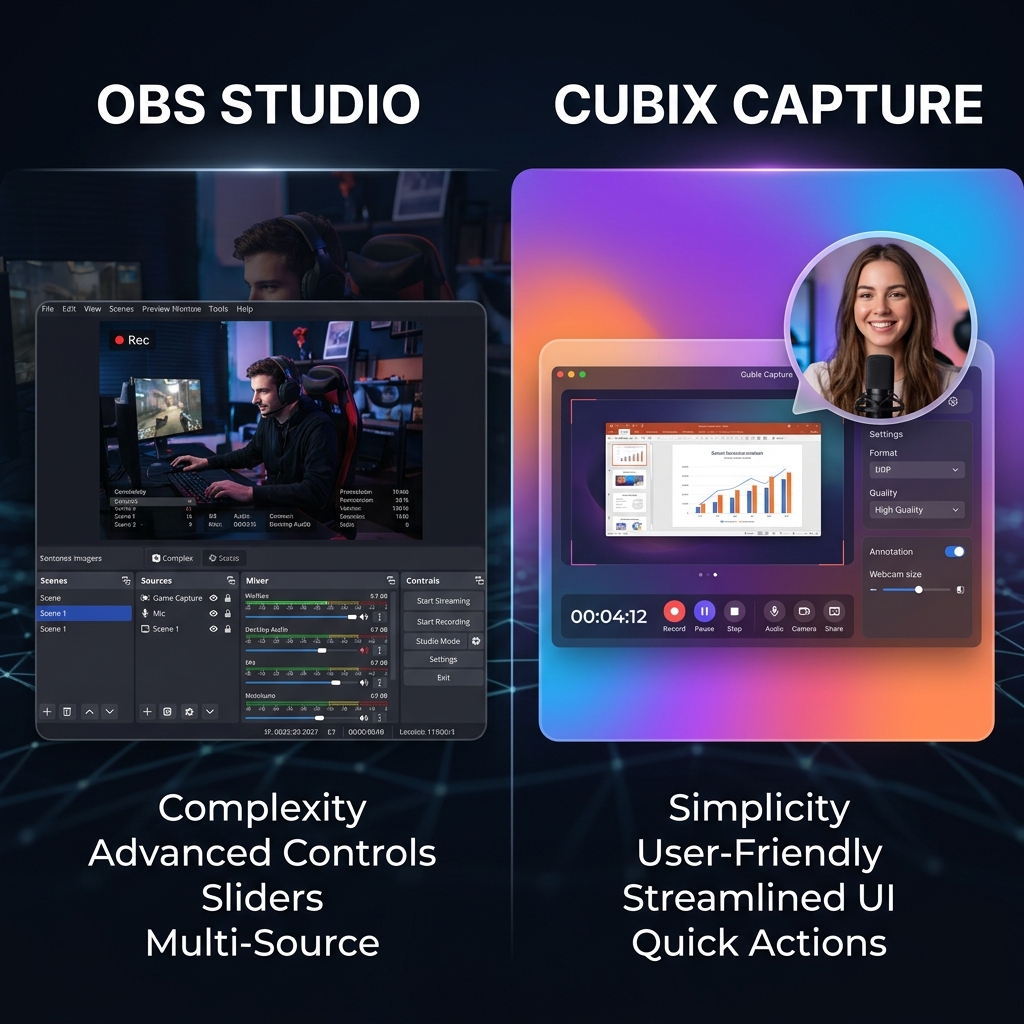
OBS Studio: The Broadcaster’s Powerhouse
Open Broadcaster Software (OBS) is essentially a highly advanced digital security camera mixed with a live television control room. It is completely free, open-source, and imposes zero watermarks.
Where OBS Shines:
- Live Streaming: If you want to stream gameplay to Twitch or broadcast a live podcast to YouTube, OBS is unmatched. Its ability to handle live scene switching, manage complex audio buses, and integrate with streaming APIs is world-class.
- Maximum Control: OBS gives you complete authority over bitrates, custom encoders, and complex audio routing. If you need to record three different microphones onto three separate audio tracks while capturing a specific monitor, OBS can do it.
- Flawless Raw Capture: It captures exactly what is on your screen, pixel for pixel, without any interpretation or automated changes.
The Drawback of OBS:
Because it is a passive recorder, OBS captures a flat, static image of your desktop. If you record a tutorial on a 27-inch monitor, it looks fine to you. But when a client watches that raw video on their smartphone, the software interface shrinks dramatically. The text becomes microscopic. To fix this, you have to import your heavy OBS file into a complex editor like Premiere Pro and spend hours manually keyframing zoom effects to make the video readable.
Cubix Capture: The Intelligent Visual Producer
Cubix Capture represents the modern evolution of screen recording. Instead of just grabbing a raw image of your monitor, Cubix operates as an intelligent workflow engine that edits your video while you speak, completely eliminating the need for post-production.
Enjoying this read?
Get weekly insights on video editing, AI workflows, and creator growth straight to your inbox.
Where Cubix Capture Shines:
- Automated Cinematic Zoom: As you click and navigate through a website or software, Cubix’s AI identifies your actions and automatically applies smooth, cinematic zooms to your active windows. This guarantees that your tutorials and demos are perfectly legible on any mobile device without a single second of manual editing.
- Frictionless Cursor Fluidity: It intercepts the erratic, nervous shakes of a physical mouse or trackpad and translates your movements into an elegant, deliberate glide that naturally guides your viewer's eye.
- Instant Studio Aesthetics: Cubix instantly applies stunning live, gradient, or textured backgrounds behind your window. If you use a webcam, it drops your face into a clean floating bubble and can even blur your physical room without a green screen.
- Zero-Render Workflow: Because the visual polish is applied during the capture, you can instantly export a shareable cloud link the moment you hit stop.
The Drawback of Cubix Capture:
While Cubix has a generous free Starter plan, unlocking 4K 60fps recording, unlimited durations, and the AI smooth cursors requires upgrading to the Pro plan (starting at $14.99/month). Additionally, it is not designed for complex, multi-camera live streaming to platforms like Twitch.
Head-to-Head Comparison
| Feature | OBS Studio | Cubix Capture |
|---|---|---|
| Core Philosophy | Passive raw capture & live broadcasting | Automated presentation & tutorial clarity |
| Mobile Readability | Poor (requires manual editing to zoom) | Excellent (auto-zooms on clicks natively) |
| Cursor Appearance | Exact, raw physical mouse movements | Silky smooth, AI-interpolated paths |
| Post-Production | Mandatory for professional polish | Zero timeline editing required |
| Webcam Integration | Manual staging required | Instant floating bubble with background blur |
| Pricing | 100% Free | Free Starter plan; Pro from $14.99/mo |
📖 Keep reading: our full OBS vs Cubix Capture comparison, why OBS is overkill for most screen recordings, and a beginner's guide to recording your screen with OBS.
The Verdict: Which Should You Choose?
Use OBS Studio if: You are a live streamer, a gamer, or a highly technical user who needs to manage complex, multi-track audio routing. If you already employ a professional video editor to cut and zoom your raw footage for you, the raw output of OBS is perfect.
Use Cubix Capture if: You are a founder, educator, product manager, or content creator who needs to make software tutorials, product demos, or client onboarding videos. If you value your time and want a video that looks like a studio masterpiece with auto-zooms, smooth cursors, and beautiful backgrounds without ever having to open a video editor, Cubix Capture is the undeniable winner.
Don’t miss the next one.
Join our newsletter for exclusive tips, product updates, and the latest from the Cubix team.