
If any forum or community asks what software you should use to record your screen, the most common answer you will get is OBS Studio.
It is free, open-source, and incredibly powerful. It is the undisputed gold standard for Twitch streamers and professional live broadcasters. Because of this reputation, many SaaS founders, marketers, and educators download OBS to record their product demos and software walkthroughs.
But shortly after opening the application, reality sets in.
While OBS is an amazing piece of engineering, it was never designed to be a simple, professional presentation tool for software demos. Using OBS to record a quick product walkthrough is like using a commercial airplane dashboard to drive to the grocery store. It is too complex, too raw, and leaves you with a massive editing headache.
OBS is a great tool in the right context. This article explains where it shines, where it creates friction for product demos, and what to use when speed-to-clarity matters more than studio control.
1) Setup Friction Slows Demo Velocity
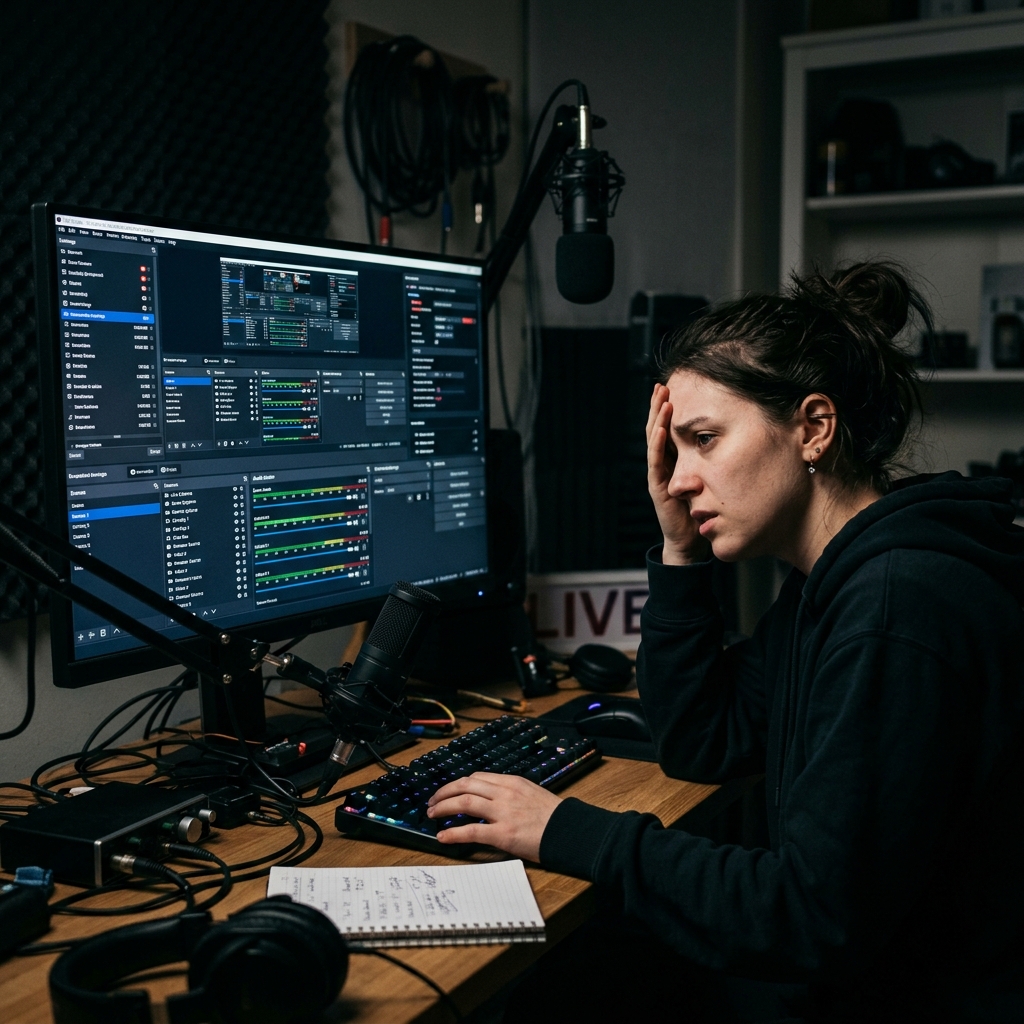
OBS is not a "plug and play" application. Before you can hit record, you have to build your studio.
You need to set up your "Scenes," add your display capture, configure your audio input capture, adjust your canvas resolution, set your output bitrate, and pray that your microphone is not picking up system feedback.
When you are trying to demonstrate a new feature to a client or record a quick onboarding tutorial for your team, your focus should be on the message. You should not have to spend twenty minutes playing audio engineer just to capture your screen. The friction of setting up OBS often leads people to delay recording entirely.
2) Raw Capture Creates Followability Problems
The biggest problem with OBS for product demos is that it does exactly what it says: it captures your raw screen.
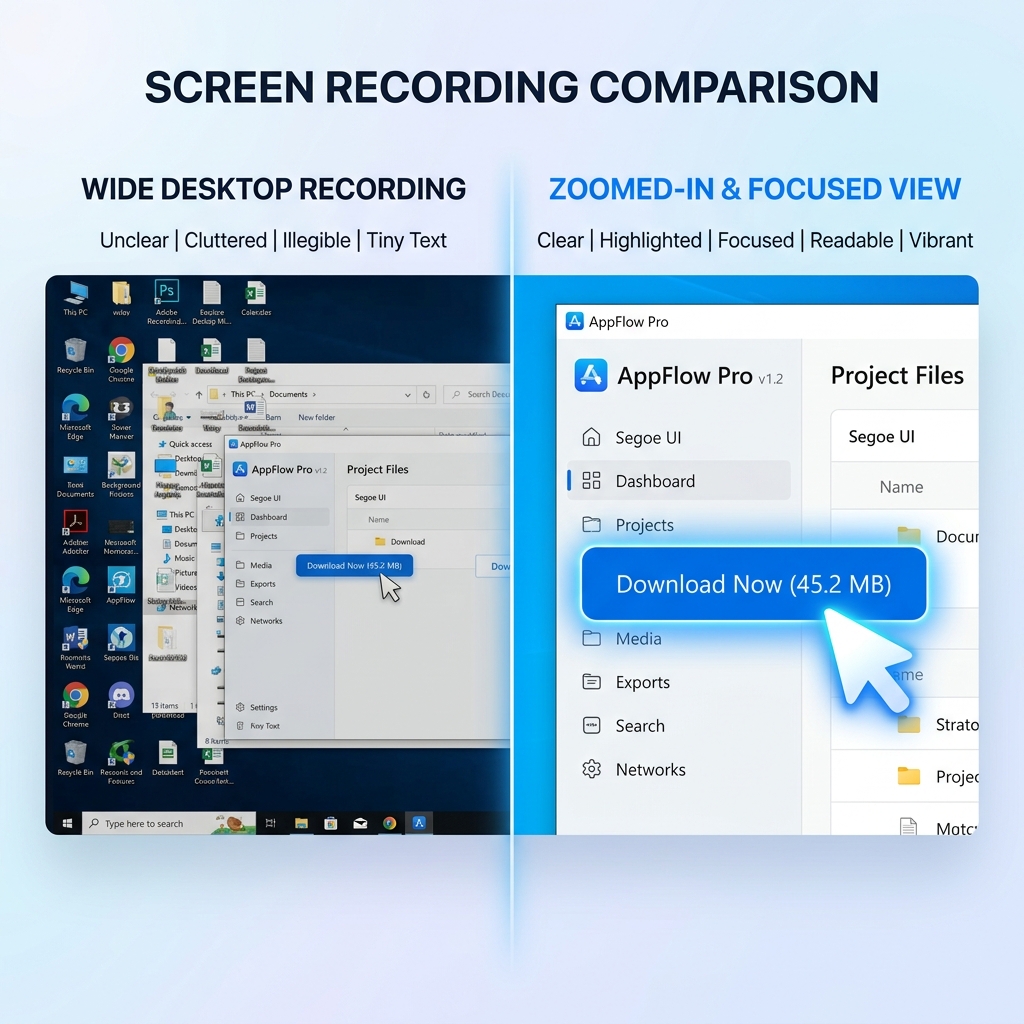
If you are recording a complex SaaS dashboard on a large monitor, OBS captures the entire wide view. When your potential customer watches that video on a 13-inch laptop or a mobile phone, your software shrinks. The specific button you are talking about becomes a tiny, unreadable dot.
Because OBS only captures the raw view, you are forced to take that video into a secondary video editing program to manually add zoom effects so your viewers can actually see what you are doing. If you skip this editing step, your viewers will just end up squinting, getting confused, and clicking away.
3) Cursor Motion Is Captured Exactly as-Is
Because OBS captures a 1-to-1 reflection of your screen, it also captures your exact mouse movements.
When humans think, we wiggle the mouse. We trace circles around words, dart across the screen, and overshoot our targets. On a raw OBS capture, every one of those tics ships in the file—there is no real-time cursor cleanup pass, because OBS is designed to broadcast exactly what is on your screen, not to interpret it. To make the same demo look deliberate, you would have to bring it into After Effects or Premiere and animate a custom cursor on top, which is a workflow no founder is going to repeat twice.
Enjoying this read?
Get weekly insights on video editing, AI workflows, and creator growth straight to your inbox.
4) Visual Staging Requires Extra Work
A great product demo needs a great environment. OBS will capture your exact desktop background—whether that is a messy folder system, a personal photo, or a distracting Windows taskbar.
You can technically build custom backgrounds in OBS, but again, this requires manual design work, finding assets, and layering them in the software like a graphic designer. It is another massive hurdle between you and a finished video.
When OBS Is Still the Right Choice
OBS is still excellent for:
- live streaming and broadcast workflows
- custom scene/audio routing setups
- advanced technical capture configurations
If that is your use case, OBS is a strong choice.
Better Option for Fast Product Demos
If you want to create highly engaging, cinematic product demos without spending hours setting up scenes or editing footage, you have to stop using broadcasting software. You need a tool purpose-built for presentations.
This is exactly why Cubix Capture is the smarter choice for software creators, educators, and teams. It completely removes the friction and the editing room.
Instead of building a Scene Collection, configuring an audio routing graph, and tuning bitrate to avoid encoder overloads, you pick the window you want to record and start. The app reads your input stream in real time: where you click decides where the camera tightens, the raw mouse path is interpreted into a deliberate motion line, and the cluttered desktop is replaced with a single clean stage—none of that requiring a Source, a Scene, or a manual zoom keyframe.
When you finish speaking, your demo should already be close to share-ready. If your current setup requires heavy post-editing every time, switch to a workflow optimized for presentation clarity.
Decision Shortcut
- Need live stream/broadcast control -> OBS
- Need fast, readable product demos -> presentation-focused recorder
For teams prioritizing speed and clarity, tools like Cubix Capture are usually a better fit than raw broadcast tooling.
Related reading:
- Best Screen Recorder for SaaS Founders in 2026
- How to Record a Product Walkthrough on Windows in 2026
- Best Screen Recorder for Developer Walkthroughs & Code Demos
📖 Keep reading: OBS screen recorder setup, tips, and alternatives.
Don’t miss the next one.
Join our newsletter for exclusive tips, product updates, and the latest from the Cubix team.