
If you are a software educator, product founder, or online course creator, your screen recorder is the single most important tool in your creative stack. It is the engine that transforms your personal desktop workflows into public, monetizable educational assets.
But if you open any forum or subreddit searching for recommendations, you’ll find yourself caught in a massive debate. One side insists that paying for a software subscription is a scam when open-source tools exist. The other side argues that free tools cost you far more in wasted time and clunky production quality.
In 2026, the gap between free and paid recording ecosystems has widened dramatically. The decision doesn't just change your monthly budget; it alters your entire weekly schedule. Here is an honest, practical breakdown of what free tools actually give you, what paid platforms unlock, and exactly where your money is worth the investment.
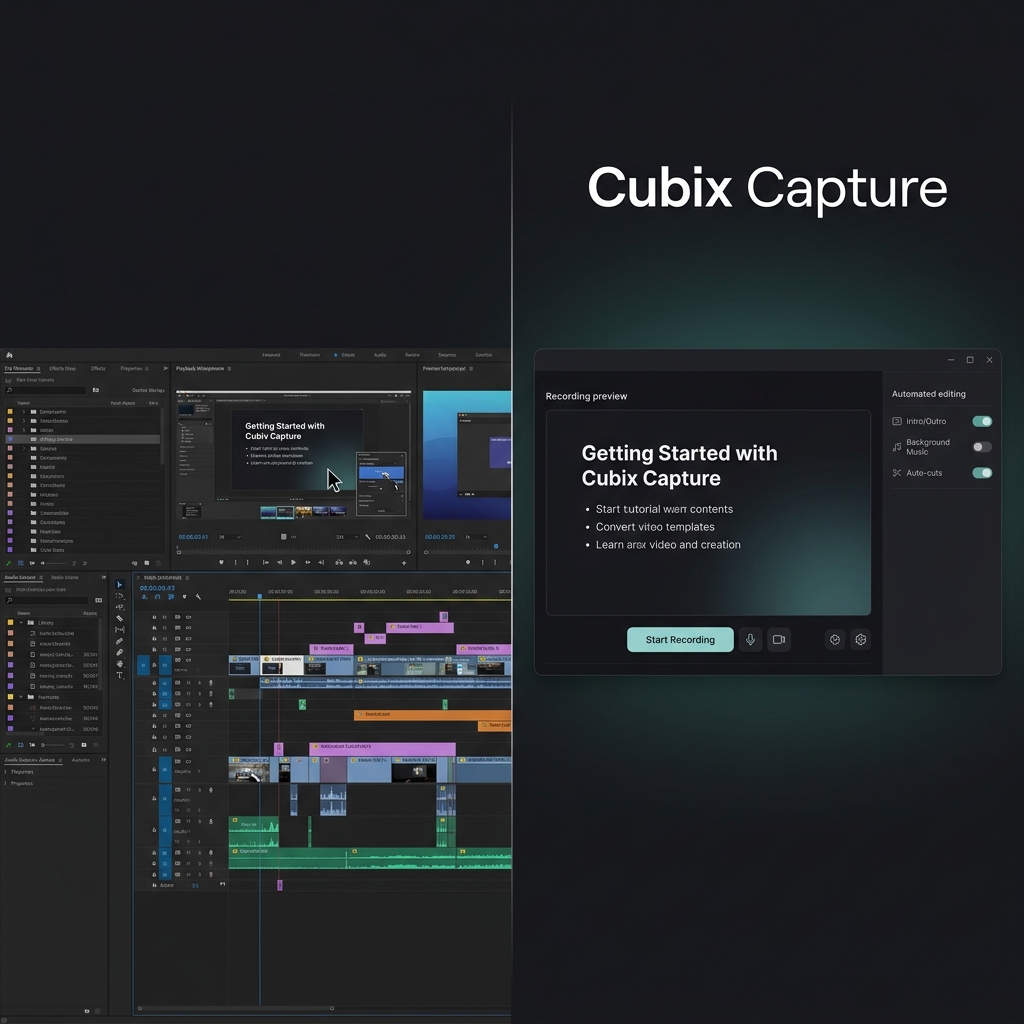
The Free Tier Landscape: Power Tools with a Timeline Tax
Free screen recorders are highly capable, but they fall into two distinct buckets: completely open-source engines or gated "freemium" utilities.
1. Open-Source Powerhouses (e.g., OBS Studio)
Tools like OBS Studio are masterpieces of software engineering. They are 100% free, run without watermarks, and give you total control over video bitrates, hardware encoding chips, and multi-track audio paths.
- The Catch: OBS acts strictly like a passive security camera. It records a rigid, pixel-for-pixel layout of your monitor exactly as it sits. If you record an app on a large desktop monitor, everything looks clear to you. But when a student watches that file on a smartphone, the user interface text scales down and becomes microscopic.
- To fix this, free software forces you into a heavy post-production pipeline. You must export the file into a separate video editor and spend hours manually cutting clips and keyframing custom camera pans and zooms to keep your actions legible on mobile displays.
2. Gated Freemium Utilities (e.g., Loom Free, basic browser extensions)
These tools give you fast cloud sharing and a neat web interface, but their free tiers are intentionally restricted to force you to upgrade. You will typically run face-first into 5-minute recording limits, restricted export resolutions (like capping video quality at a grainy 720p), or forced company watermarks stamped over your final footage. They are great for sending a quick bug report to a coworker, but they fall short for building a professional brand or premium course curriculum.
The Paid Landscape: Buying Back Your Afternoons
Paid screen recording platforms operate under an entirely different workflow philosophy. They don't just capture data paths; they use capture-time automation to design, style, and reframe your videos while you speak.
Modern premium platforms like Cubix Capture have completely shifted the video creation pipeline by handling the production editing live during the recording session itself.
- Algorithmic Focal Zooming: Paid platforms resolve the mobile screen readability crisis natively. As your mouse navigates through an application or webpage, the software monitors your clicks and coordinates. The millisecond you open a dropdown menu or type text into a code field, the camera automatically triggers a smooth, cinematic zoom inward, preserving absolute clarity for smartphone viewports with zero manual editing.
- AI Cursor Path Smoothing: Naturally, our physical mouse movements are erratic, shaky, and frantic as our eyes dart around a screen. Paid AI engines intercept your raw trackpad coordinates on the fly and translate them into a fluid, confident, studio-grade glide that keeps the viewer's eye anchored without distraction.
- Instant Brand Staging: Instead of recording a messy desktop full of loose files, browser tabs, and personal notifications, premium recorders automatically isolate your targeted application window and frame it beautifully against gorgeous, dynamic canvas backdrops, while placing your webcam into a clean floating geometric circle with studio background blurring natively.
Enjoying this read?
Get weekly insights on video editing, AI workflows, and creator growth straight to your inbox.
Head-to-Head Feature Value Mapping
| Feature Metric | Free Open-Source Tools | Paid Automated Platforms | What's Actually Worth It? |
|---|---|---|---|
| Upfront Cost | $0 (Completely Free) | ~$10 to $20 / month | Free wins if you have zero budget. |
| Production Speed | Slow (Requires heavy editing) | Instant (Zero-edit output) | Paid wins if your time is worth more than $15/hr. |
| Mobile Legibility | Flat capture (Tiny on phones) | Automated Click-Based Zooms | Paid wins to maintain student retention. |
| Cursor Delivery | Raw physical hand jitters | AI-Powered Path Smoothing | Paid wins for a highly polished brand look. |
| Webcam Layout | Standard square video blocks | Floating Bubble + Active Blur | Paid wins to preserve home office privacy. |
The Production Pipeline Blueprint
If you choose a free setup, you are choosing a multi-step assembly line. If you choose a premium automated platform, your production timeline scales down to a single, continuous sweep. Here is the operational framework for high-efficiency tutorial publishing:
-
Sanitize Your Recording Canvas: Prune your background space before filming. A messy screen shatters student focus. Hide your desktop icons, clear out unrelated browser tabs, hide your browser bookmarks bar (
Ctrl + Shift + B), and flip your operating system configuration into Do Not Disturb mode to block personal message pop-ups. -
Isolate Your Target Application: Locks your capture engine onto a clean frame. Configure your recording software to isolate the specific browser tab or software program you are teaching rather than mirroring your entire desktop monitor. If using a premium tool, this automatically triggers canvas backdrops to frame your app beautifully.
-
Slow Down Your Physical Choreography: Gives tracking software and viewers time to process. Move your mouse cursor across your application layout at half-speed. When approaching a button or settings field, hover over it for one full second before clicking, and leave your pointer resting there for a moment afterward. This intentional pacing provides clean triggers for automated focus zooming engines.
-
Publish via Instant Cloud Handoff: Skip the rendering timeline entirely. When your lesson concludes, hit stop. If you used a free tool, copy your raw MP4 file into an editor to manually animate zoom paths. If you used a smart paid recorder, your canvas backdrops, cursor smoothing, and auto-zooms are already baked in natively allowing you to drop an instant, polished share link straight into your student portal.
Summary Verdict: When is a Paid Recorder Worth It?
The choice between free and paid recorders isn't about which software is universally "better" it comes down to mapping your content goals against your calendar:
Stick with Free Tools if: You are a technical power user who already has a dedicated video editor they love using, you are managing a live multi-camera broadcast to streaming networks, or you are a hobbyist creating occasional videos where spending 2 hours editing a 5-minute clip doesn't impact your livelihood.
Upgrade to a Paid Automated Platform if: You are an educator, digital course creator, SaaS founder, or professional who creates software tutorials frequently. If you want your educational assets to look elite, highly stylized, and perfectly mobile-optimized without losing your entire weekend to a tedious post-production editing timeline investing a few dollars a month into a smart engine like Cubix Capture gives you an immediate competitive advantage and pays for itself in time saved during your very first recording.
Related reading:
- OBS Is Overkill for Most Screen Recording
- Best Free Auto-Zoom Screen Recorders in 2026
- Best Screen Recorder for YouTube Tutorial Creators
📖 Keep reading: see what that paid automation actually unlocks in how tutorial creators are using auto-zoom to get more views.
Don’t miss the next one.
Join our newsletter for exclusive tips, product updates, and the latest from the Cubix team.